
|
Do it yourself
| |||
| ||||


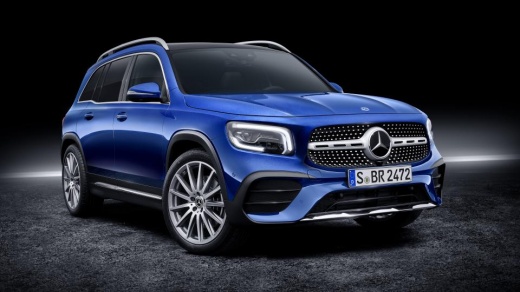
How to Replace the Rear Brake Pads on a Mercedes GLB
Model: Mercedes Glb
MK 1
- Years:
2019, 2020, 2021, 2022, 2023, 2024, 2025, 2026
Video tutorial
Today, you will learn the instructions to remove and replace the rear brake pads on a Mercedes GLB. First, lift the vehicle and begin by removing the rear wheel; then disconnect the electrical connector of the brake pad wear sensor, followed by unscrewing the bolts of the brake caliper, as shown in the video. After releasing the caliper piston, you will be able to remove the old brake pads, cleaning the caliper of any residual dirt; install the new rear brake pads and finally refit the caliper onto the disc!
Posted on 22 July 2026 by ScegliAuto
Related tutorials
Mercedes Glb
(2019-2026 /
MK 1)
In this video, we can see where the fuse boxes are located in the Mercedes GLB and their respective diagrams, useful in case you need to check the fu…

Mercedes Glb
(2019-2026 /
MK 1)
Below are the instructions to remove and replace the battery of the Mercedes GLB 250. First, open the vehicle's bonnet and start disconnecting the wi…

Mercedes Glb
(2019-2026 /
MK 1)
Today we will see the instructions that will allow us to disassemble and replace the cabin fan of the Mercedes GLB. First, we open the front door on …
Other guides you may be interested in
|
How to Reset the Tyre Pressure Light on a Cupra Formentor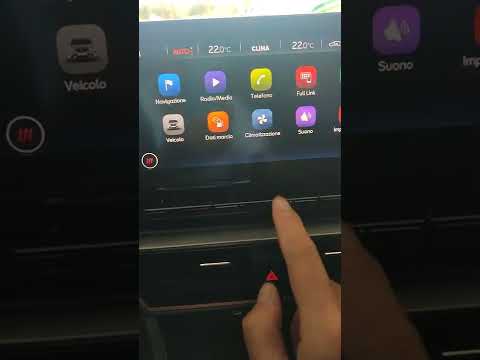
In this brief and simple video tutorial, learn how to reset the tyre pressure on a Cupra Formentor. Start by pressing the ignition button to turn on the instrument cluster. Now, use the touchscreen display on the central console to open the car menu. From here, select the driving data option, then the tyre pressure option. Now, click on the "SET" button with the pressure warning symbol and confirm the correct tyre pressure required by the manufacturer to perform the reset. by ScegliAuto More videos
|
|
For advertising on this site Write to info@scegliauto.com
ScegliAuto is not responsible for any inaccuracy of the data in the lists. To report any inaccuracy or your business (if you own the business in question), please write to info@scegliauto.com
Number of seconds to generate the page: 0.028
(c) ScegliAuto 2026 - info@scegliauto.com - Privacy policy VAT number: IT01247470535 |
