
|
Do it yourself
| |||
| ||||


How do you reset the Service indicator light on the Mini Countryman?
Model: Mini Mini
U25, Countryman3
- Years 2024-2026
The Service indicator that is shown on the instrument panel of the Mini Countryman can be reset by turning on the instrument panel, pressing the appropriate button next to the steering column: once this has been turned on, you can press and hold the button indicated in the video on the right side of the steering wheel for about fifteen seconds. At this point, you will notice that the message related to the service on the central screen will appear: in this way, you can press the same button again to make the indicator disappear.
Posted on 14 June 2025 by ScegliAuto
Video tutorial
Related tutorials
Mini
(2017-2023 /
Countryman2, F60)
To reset the "Service" light on a Mini Countryman, start by turning on the instrument panel without starting the engine. Press the button located bel…

Mini
(2017-2023 /
Countryman2, F60)
To reset the Service light on the Mini Countryman, you need to turn on the instrument cluster using the appropriate button located on the central con…
Mini
(2010-2016 /
Countryman1, R60)
Before you start, sit in the driver's seat of your Mini Countryman. Next, start the car. Then, repeatedly press the "BC" button located on the left s…
Other guides you may be interested in
|
Frequently Asked QuestionsHow to Replace the Diesel Filter of the Peugeot 3008 1.5 BlueHDI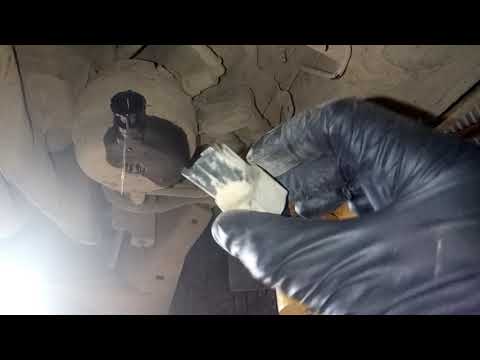
Briefly, we will see the main instructions for dismantling and replacing the diesel filter of the Peugeot 3008 1.5 BlueHDI. First, locate the diesel filter under the vehicle, so it will be necessary to lift it; then disconnect the electrical connector and the fuel lines from the filter, unscrewing the side screws to remove the cartridge, as shown in the video. At this point, replace the diesel filter with the new one, as well as with the original one; then reconnect the pipes and the electrical connector, following the video tutorial to the end! by ScegliAuto More videos
|

|
For advertising on this site Write to info@scegliauto.com
ScegliAuto is not responsible for any inaccuracy of the data in the lists. To report any inaccuracy or your business (if you own the business in question), please write to info@scegliauto.com
Number of seconds to generate the page: 0.284
(c) ScegliAuto 2026 - info@scegliauto.com - Privacy policy VAT number: IT01247470535 |
