
|
Do it yourself
| |||
| ||||


How to reset the tire pressure light in the Mini Cooper?
Model: Mini Mini
R57, R55, R56
- Years 2007-2014
In this tutorial we can see how to reset the tire pressure warning light in the Mini Cooper, an extremely simple and quick operation, to be carried out only once the correct pressure of each tire has been restored following the instructions in the manual. First of all, let's go inside the car, then turn on the instrument panel and, by pressing the "BC" button repeatedly on the left lever, we reach the display voice "SET/INFO". Subsequently, hold down the same button to enter the section, reach the icon of the warning light in question and reset it by holding down the button a second time.
Posted on 19 June 2025 by ScegliAuto
Video tutorial
Related tutorials
Mini
(2023-2026 /
F66)
.. In this tutorial, we can see how to reset the tire pressure light in the Mini Cooper, an extremely simple and quick operation, to.. …

Mini
(2023-2026 /
F66)
In this tutorial we can see how to reset the tire pressure warning light in the Mini Cooper, an extremely simple and quick operation, to be done only…
Mini
(2014-2023 /
F55, F54, F57, F56)
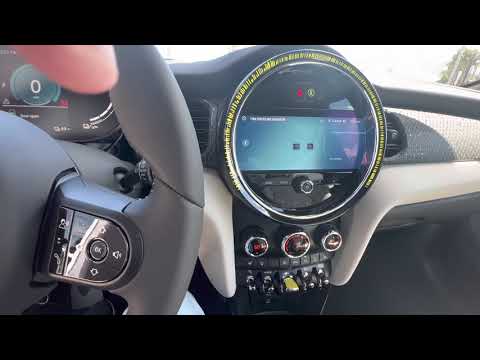
The tire reset procedure in the 2022 Mini Cooper must be performed when the car is parked but with the engine running. For this model, simply turning…
Other guides you may be interested in |
How to Remove the Air Vents on Mercedes SLK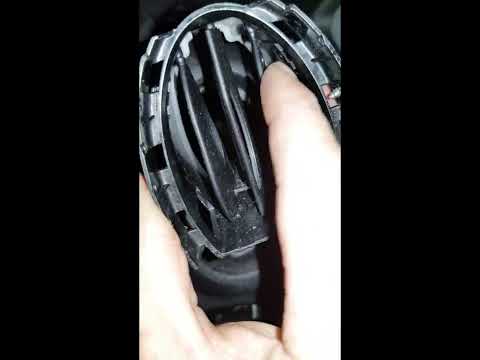
Learn how to remove the air vents on a Mercedes SLK. In this video, see how to proceed with the removal: using plastic levers, remove the cover located on the air vent at the side of the dashboard until it detaches. Finally, remove the air vent from the dashboard as shown in the video. To reassemble the various removed parts, reverse the disassembly steps. Perform the same operation to remove the vent located on the opposite side of the removed vent. by ScegliAuto More videos
|

|
For advertising on this site Write to info@scegliauto.com
ScegliAuto is not responsible for any inaccuracy of the data in the lists. To report any inaccuracy or your business (if you own the business in question), please write to info@scegliauto.com
Number of seconds to generate the page: 0.047
(c) ScegliAuto 2026 - info@scegliauto.com - Privacy policy VAT number: IT01247470535 |
