
|
Do it yourself
| |||
| ||||


How to Reset the TPMS Light on a Mini Cooper
Model: Mini Mini
F56, F57, F54, F55
- Years 2014-2023
Today, we will explain how to reset the tire pressure monitoring system (TPMS) light on a Mini Cooper vehicle. Before resetting the light, check the tire pressures using a gauge and inflate the tyres using an air compressor according to the manufacturer's specifications. To perform the reset steps, turn on the instrument panel and press the BC button or the lever on the left of the steering wheel. While holding the button, select the Info option. While holding the button for a few seconds, select the Reset option to start the procedure for updating the tyre pressures. Complete the update by restarting the instrument panel.
Posted on 28 February 2026 by ScegliAuto
Video tutorial
Related tutorials
Mini
(2007-2014 /
R56, R55, R57)
Today's information will show us how to reset the tire pressure warning light on the Mini Cooper; before performing the TPMS sensor reset, it is nece…

Mini
(2007-2014 /
R56, R55, R57)
Manually resetting the TPMS light on your Mini Cooper R56 (2013) is really simple. To complete the operation without any difficulty, just follow the …
Mini
(2001-2007 /
R53, R52, R50)
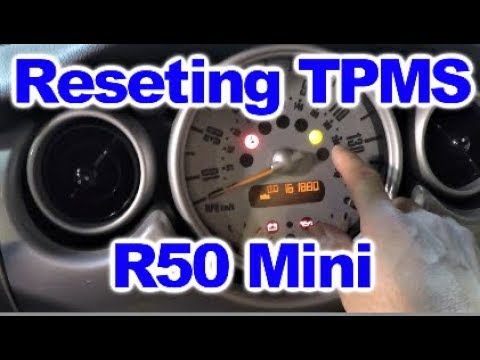
The tyre pressure warning light activates when the vehicle's TPMS detects one or more anomalies in the tyre pressures. Here's how to reset the TPMS w…
Other guides you may be interested in
|
How to Replace the Remote Battery for the Volvo XC40?
In this tutorial, you will see how to replace the battery in the remote for the Volvo XC40, a very simple and quick operation. For this, you will need a replacement battery of type CR2032 and possibly a small flathead screwdriver. First, remove the front cover by pressing the button on the metal ring, then locate the second button, press it as well, and remove the opposite cover. Next, open the circular cap, take out the old battery, and insert the new one in the opposite direction. Finally, reassemble everything. by ScegliAuto More videos
|

|
For advertising on this site Write to info@scegliauto.com
ScegliAuto is not responsible for any inaccuracy of the data in the lists. To report any inaccuracy or your business (if you own the business in question), please write to info@scegliauto.com
Number of seconds to generate the page: 0.242
(c) ScegliAuto 2026 - info@scegliauto.com - Privacy policy VAT number: IT01247470535 |
