
|
Do it yourself
| |||
| ||||


How to replace the side bulb of the Mini Cooper R56.
Model: Mini Mini
R55, R57, R56
- Years 2007-2014
To replace the side bulb of the Mini Cooper model R56, we need to open the front hood and push the bulb cover outward. Disconnect the connector from the bulb so we can proceed with the replacement. Insert the new bulb into the connector, avoiding touching the glass part to ensure the bulb lasts longer. Push the bulb cover back in and close the front hood after the replacement. Test its functionality by turning on the vehicle's lights; if it doesn't work, it may be necessary to check the related fuse.
Posted on 1 January 2026 by ScegliAuto
Video tutorial
Related tutorials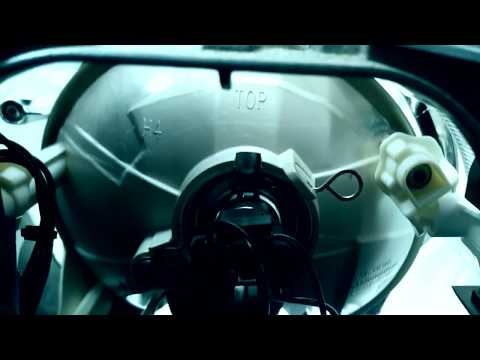
Mini
(2007-2014 /
R55, R57, R56)
In today's video we will see how to remove and replace the headlight bulb of the Mini Cooper R56 and R57, following these simple steps. First we open…

Mini
(2007-2014 /
R55, R57, R56)
If you don't know where the OBD port of your Mini Cooper R56 is located, don't worry because thanks to the steps described in the following guide, yo…

Mini
(2007-2014 /
R55, R57, R56)
In order to replace the Mini Cooper S fog light bulb, you need to remove the circular cover located inside the wheel arch corresponding to the bulb t…
Other guides you may be interested in |
How to Replace the Interior Rearview Mirror on an Audi Q5
In this simple operation, follow a few straightforward steps to replace the mirror without damaging any sensitive parts of your vehicle. Start by removing the small panel that covers the pillar connecting the roof of your vehicle to the mirror. Then, using a lever, remove the lower cover. Now, simply rotate the mirror to remove it; you can use a wrench to assist with the rotation. Once the mirror is removed, install the new one by following the steps in reverse for reassembly. by ScegliAuto More videos
|

|
For advertising on this site Write to info@scegliauto.com
ScegliAuto is not responsible for any inaccuracy of the data in the lists. To report any inaccuracy or your business (if you own the business in question), please write to info@scegliauto.com
Number of seconds to generate the page: 0.044
(c) ScegliAuto 2026 - info@scegliauto.com - Privacy policy VAT number: IT01247470535 |
