
|
Do it yourself
| |||
| ||||


How to reset the service light on the 2007 Mini Cooper S
Model: Mini Mini
R55, R57, R56
- Years 2007-2014
The service light that comes on on the instrument panel of your 2007 Mini Cooper S has a reminder function and, in fact, serves as a reminder of the need to service the car. If you have already done this or want to postpone it, you need to put into practice the following manual reset procedure. First, go inside the car and make sure it is completely turned off. Then locate the button located inside the speedometer and keep it pressed. At the same time, start the instrument panel. As soon as the light starts flashing, release the button and hold it down one last time. As soon as the light goes out, release the button and you are done.
Posted on 9 June 2022 by ScegliAuto
Video tutorial
Related tutorials
Mini
(2007-2014 /
R55, R57, R56)
In this video, we see how to reset the service light of a Mini Cooper R56: turn on the instrument panel and press the BC button repeatedly on the ins…

Mini
(2007-2014 /
R55, R57, R56)
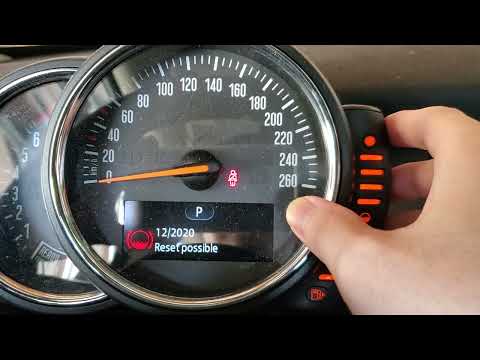
In order to successfully carry out the manual reset of the service light on your 2013 Mini Cooper R56, you must follow these simple steps. First of a…
Mini
(2010-2016 /
R60, Countryman1)
In this new guide of ours dedicated to your 2016 Mini Cooper Countryman, we are going to describe you the necessary steps to be able to easily reset …
Other guides you may be interested in |
How to Reset the Maintenance Warning on the Peugeot 508
In this guide, you will perform a simple and quick operation that allows you to save time and money by avoiding taking your vehicle to a garage for this task. Just follow this brief guide to understand how to carry out the reset completely on your own. Start the ignition of your vehicle, then press and hold the "000" button. Follow the steps displayed, which involve turning your key to the second position without starting the vehicle. Continue to hold the button until the countdown expires. Now, release the button and turn off the ignition of your vehicle. by ScegliAuto More videos
|

|
For advertising on this site Write to info@scegliauto.com
ScegliAuto is not responsible for any inaccuracy of the data in the lists. To report any inaccuracy or your business (if you own the business in question), please write to info@scegliauto.com
Number of seconds to generate the page: 0.052
(c) ScegliAuto 2026 - info@scegliauto.com - Privacy policy VAT number: IT01247470535 |
