
|
Do it yourself
| |||
| ||||



How to Reset the Service on a Mini Cooper?
Model: Mini Mini
R57, R56, R55
- Years:
2007, 2008, 2009, 2010, 2011, 2012, 2013, 2014
Video tutorial
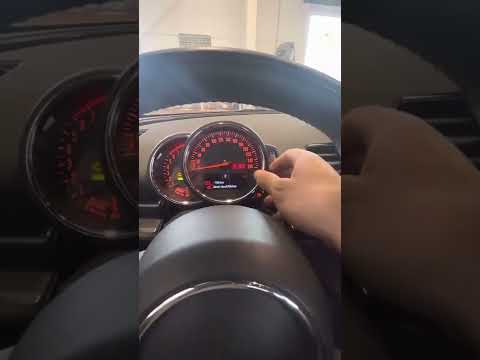
Resetting the service on a Mini Cooper is very simple; follow this tutorial. This operation should only be performed after completing all scheduled maintenance tasks. First, turn on the instrument panel, not the engine, then press and hold the "trip" button until the maintenance menu appears. At this point, using the "BC" button located at the end of the left stalk, scroll through the various available services until you reach the desired one, where you will need to press and hold the same button once to start the reset, and a second time to confirm it.
Updated on 14 June 2026 by ScegliAuto
Related tutorials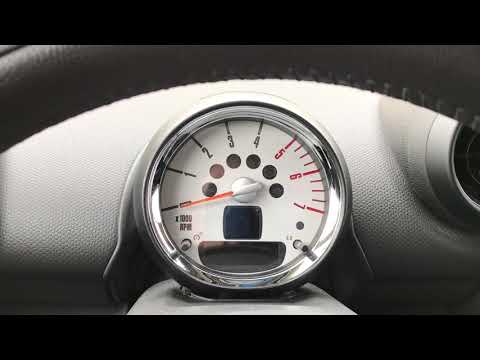
Mini
(2007-2014 /
R57, R56, R55)
In a few simple steps, reset the service light for the engine oil change on your Mini Cooper. First, get in the car and turn on the ignition by inser…

Mini
(2014-2023 /
F55, F54, F56, F57)
Like all cars, the Mini Cooper also has its maintenance program, detailed in the user manual. The oil change and oil filter replacement are essential…
Mini
(2007-2014 /
R57, R56, R55)
To reset the service light related to the Mini Cooper's service interval, do the following: -turn on the ignition; -press the menu button on the inst…
Other guides you may be interested in |
How to Reset the Tyre Pressure Warning Light on the Opel Mokka?
To reset the tyre pressure warning light on the Opel Mokka, turn on the ignition by inserting the key into the ignition switch. Once the ignition is on, navigate through the menu that appears on the dashboard by pressing the MENU button on the lever to the left of the steering wheel. When the tyre pressure option appears, press and hold the SET/CLR button located on the same lever. This will reset the warning light, and you can then turn off the ignition. by ScegliAuto More videos
|
|
For advertising on this site Write to info@scegliauto.com
ScegliAuto is not responsible for any inaccuracy of the data in the lists. To report any inaccuracy or your business (if you own the business in question), please write to info@scegliauto.com
Number of seconds to generate the page: 0.023
(c) ScegliAuto 2026 - info@scegliauto.com - Privacy policy VAT number: IT01247470535 |
