
|
Do it yourself
| |||
| ||||


How to reset the partial odometer in the Mini Cooper?
Model: Mini Mini
F55, F56, F57, F54
- Years 2014-2023
In this tutorial, we can see how to reset the partial odometer in the Mini Cooper, an extremely simple and fast operation. This odometer can be very useful for keeping track of specific trips or fuel consumption. First, go inside the car, then insert the key and turn on the instrument panel. Next, locate the button on the back of the dashboard, press and hold it for a couple of seconds, or for the necessary time for the partial odometer to reset correctly.
Posted on 5 February 2024 by ScegliAuto
Video tutorial
Related tutorials
Mini
(2010-2016 /
R60, Countryman1)
In this tutorial, we can see how to reset the service in the Mini Cooper, an extremely simple and quick operation, to be carried out only once all sc…

Mini
(2023-2026 /
F66)
In this tutorial, we can see how to reset the tire pressure warning light in the Mini Cooper, a very simple and quick operation, to be performed only…

Mini
(2014-2023 /
F55, F56, F57, F54)
Resetting the service on the Mini Cooper, as we can see in this tutorial, is an extremely simple and quick operation. Before proceeding, we must have…
Other guides you may be interested in
|
How to Update the TomTom on a Renault Scenic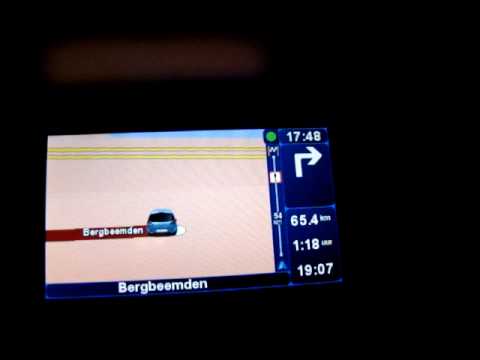
Follow this video to update the original TomTom navigator on a Renault Scenic. This is a very simple operation; enter the vehicle, turn on the instrument panel of your car with the key fob, press the knob located near the gear lever, and find the menu with the update option. Press the knob down and up to confirm, then wait for the necessary time for the device to update. Finally, the onboard computer will display the successful update of the navigator; check everything and turn off the instrument panel with the appropriate key. by ScegliAuto More videos
|

|
For advertising on this site Write to info@scegliauto.com
ScegliAuto is not responsible for any inaccuracy of the data in the lists. To report any inaccuracy or your business (if you own the business in question), please write to info@scegliauto.com
Number of seconds to generate the page: 0.117
(c) ScegliAuto 2026 - info@scegliauto.com - Privacy policy VAT number: IT01247470535 |
