
|
Do it yourself
| |||
| ||||


How to Reset the Tyre Warning Light on a Mitsubishi Lancer
Model: Mitsubishi Lancer
MK 9
- Years 2007-2020
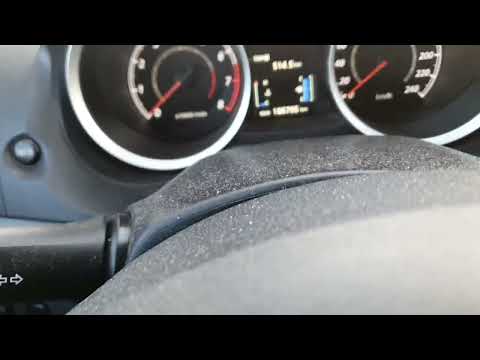
To reset the tyre warning light on a Mitsubishi Lancer, after checking the correct tyre pressure against the manufacturer's recommendation, turn on the ignition without starting the engine. Use the "info" button located on the left side of the instrument panel, scrolling to the settings menu screen. Press it multiple times to navigate through the menu. Then, press and hold it when you find the "settings" option. When the submenu appears, press the "info" button to scroll through the options until you reach "reset". Press the "info" button until the tyre warning light resets. The light will start to flash. At this point, you need to drive a short distance, over 0.3 miles, for the light to reset. The yellow light will turn off.
Updated on 10 June 2026 by ScegliAuto
Video tutorial
Related tutorials
Mitsubishi Lancer
Fitting tuning eyelids on front headlights. …
Mitsubishi Lancer
(2007-2020 /
MK 9)
If the tyre light on your Mitsubishi Lancer (2007-2014) continues to illuminate on the instrument cluster despite no punctures or pressure loss, you …

Mitsubishi Lancer
(2007-2020 /
MK 9)
If you want to access the OBD port of your 2008 Mitsubishi Lancer, simply read this guide and follow the steps described. First, enter the car from t…
Other guides you may be interested in
|
How to reset the tyre pressure warning light on a Hyundai Tucson
Below are the instructions to reset the tyre pressure warning light (TPMS) on a Hyundai Tucson. First, get into the vehicle and turn on the instrument cluster; then navigate to the vehicle settings until you reach the tyre pressure monitor, identifying the tyre with incorrect pressure. At this point, restore all tyre pressures according to the specifications indicated on the label; this will reset the TPMS and the warning light will be cleared from the instrument cluster! by ScegliAuto More videos
|
|
For advertising on this site Write to info@scegliauto.com
ScegliAuto is not responsible for any inaccuracy of the data in the lists. To report any inaccuracy or your business (if you own the business in question), please write to info@scegliauto.com
Number of seconds to generate the page: 0.061
(c) ScegliAuto 2026 - info@scegliauto.com - Privacy policy VAT number: IT01247470535 |
