
|
Do it yourself
| |||
| ||||


How to reset the tire pressure warning on the Mitsubishi Lancer
Model: Mitsubishi Lancer
MK 9
- Years 2007-2020
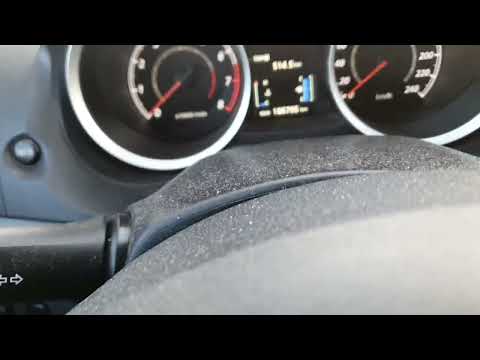
In this guide, we will see the instructions necessary to reset the tire pressure warning on the Mitsubishi Lancer; before performing the reset, it is necessary that all four tires are at the correct pressure. So, we get into the car and start by connecting our diagnostic tool to the OBD port, turning on the instrument panel to start communication with the engine control unit, as shown in the video. At this point, we check for the presence of the TPMS sensor error, perform the reset, and verify that the warning has been reset correctly on the instrument panel!
Posted on 14 October 2024 by ScegliAuto
Video tutorial
Related tutorials
Mitsubishi Lancer
(2007-2020 /
MK 9)
To reset the tire pressure warning light of the Mitsubishi Lancer, you need to inflate the tires to the recommended pressure value: this value is ind…
Mitsubishi Lancer
(2007-2020 /
MK 9)
If the tyre light on your Mitsubishi Lancer (2007-2014) continues to illuminate on the instrument cluster despite no punctures or pressure loss, you …

Mitsubishi Lancer
Fitting tuning eyelids on front headlights. …
Other guides you may be interested in
|
Where is the Spare Wheel in the Peugeot 5008?
This video shows where the spare wheel is located in the Peugeot 5008 and how to access it, useful in case of a puncture. As shown, the wheel is not in the usual boot compartment but underneath it, outside the vehicle. To free the wheel, first gather the tools provided, then open the boot, locate the small indicated hatch, and open it. Next, loosen the bolt just released using the large socket wrench enough to lower the wheel to the ground. by ScegliAuto More videos
|
|
For advertising on this site Write to info@scegliauto.com
ScegliAuto is not responsible for any inaccuracy of the data in the lists. To report any inaccuracy or your business (if you own the business in question), please write to info@scegliauto.com
Number of seconds to generate the page: 0.322
(c) ScegliAuto 2026 - info@scegliauto.com - Privacy policy VAT number: IT01247470535 |
