
|
Do it yourself
| |||
| ||||


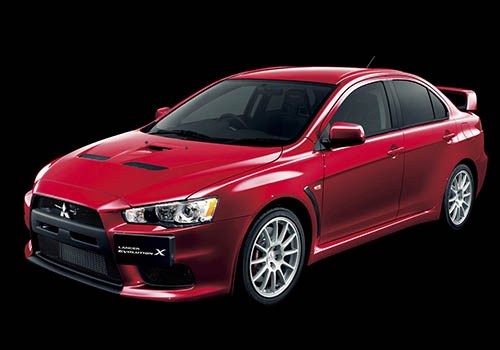
How to Replace the Car Radio in a Mitsubishi Lancer?
Model: Mitsubishi Lancer
MK 9
- Years:
2007, 2008, 2009, 2010, 2011, 2012, 2013, 2014, 2015, 2016, 2017, 2018
Video tutorial
In this tutorial, you will see how to replace the car radio in a Mitsubishi Lancer, a very simple and quick operation. Before proceeding, disconnect the negative terminal of the battery to work safely. Start by going to the passenger seat, then open the glove compartment and unclip it from the dashboard by pressing both sides inward. Next, unscrew the indicated screws, remove the horizontal trim, and by gripping it from both ends and pulling towards you, unclip the entire console. At this point, you can unscrew the mounting screws of the car radio, pull it out, and install the replacement.
Updated on 28 June 2026 by ScegliAuto
Related tutorials
Mitsubishi Lancer
Fitting tuning eyelids on front headlights. …

Mitsubishi Lancer
(2007-2020 /
MK 9)
If you want to access the OBD port of your 2008 Mitsubishi Lancer, simply read this guide and follow the steps described. First, enter the car from t…

Mitsubishi Lancer
(2007-2020 /
MK 9)
You can replace the battery of the Mitsubishi Lancer by opening the bonnet to access the components located inside the engine bay: on the right side,…
Other guides you may be interested in
|
How to Activate Cruise Control on the Peugeot 3008
Today's steps will show you how to activate cruise control on the Peugeot 3008, following the instructions below. First, get into the vehicle and start the engine. To activate cruise control, you must reach a minimum speed. Then, activate cruise control using the central button on the left stalk, adjusting the speed with the buttons; use the dial to set the speed limit. Pressing the brake pedal will automatically disable the cruise control system. by ScegliAuto More videos
|
|
For advertising on this site Write to info@scegliauto.com
ScegliAuto is not responsible for any inaccuracy of the data in the lists. To report any inaccuracy or your business (if you own the business in question), please write to info@scegliauto.com
Number of seconds to generate the page: 0.082
(c) ScegliAuto 2026 - info@scegliauto.com - Privacy policy VAT number: IT01247470535 |
