
|
Do it yourself
| |||
| ||||


How to reset the tire pressure light in the Nissan Rogue?
Model: Nissan Rogue
S35
- Years 2008-2015
In this tutorial we can see how to reset the tire pressure light in the Nissan Rogue, an extremely simple and quick operation, to be performed only once the correct pressure of each tire has been restored. First of all, let's go inside the car, then turn on the instrument panel and, using the right button on the dashboard, access the general menu. Then enter "Maintenance", "Tire", and perform the reset using the appropriate option. Restart the vehicle afterwards to verify that the operation has been successful.
Posted on 15 July 2024 by ScegliAuto
Video tutorial
Related tutorials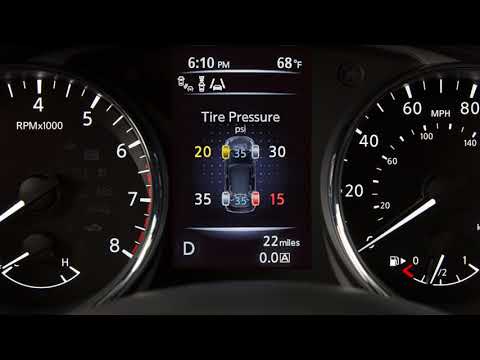
Nissan Rogue
(2014-2020 /
T32)
Today, let's go over the procedure to reset the tire pressure light on the Nissan Rogue. Before performing the reset, ensure all four tires are at th…

Nissan Rogue
(2014-2020 /
T32)
It will be possible to reset the tire pressure warning light on the Nissan Rogue by first inflating the tires to the correct pressure value: this val…

Nissan Rogue
(2008-2015 /
S35)
To reset the tire pressure warning light on the Nissan Rogue, you need to inflate the tires until they reach the recommended pressure value: this val…
Other guides you may be interested in
|
How to Remove the Rear Seats of the Toyota Yaris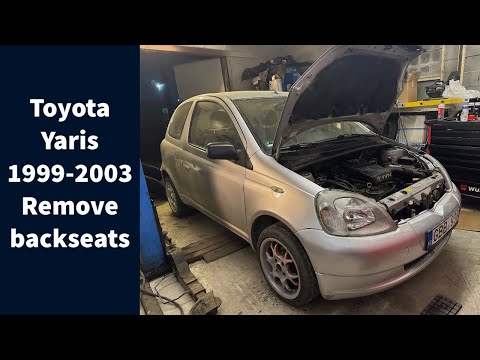
Today's guide will show you the procedure on how to remove and replace the rear seats of the Toyota Yaris, following the instructions below. First, open the tailgate and start reclining the rear seatbacks; then unscrew all the fixing screws found at their base to completely remove the seatbacks, as shown in the video. At this point, also remove the rear bench seat to complete the removal of the seats; all that remains is to refit all the rear seats, applying the reverse procedure! by ScegliAuto More videos
|
|
For advertising on this site Write to info@scegliauto.com
ScegliAuto is not responsible for any inaccuracy of the data in the lists. To report any inaccuracy or your business (if you own the business in question), please write to info@scegliauto.com
Number of seconds to generate the page: 0.101
(c) ScegliAuto 2026 - info@scegliauto.com - Privacy policy VAT number: IT01247470535 |
