
|
Do it yourself
| |||
| ||||


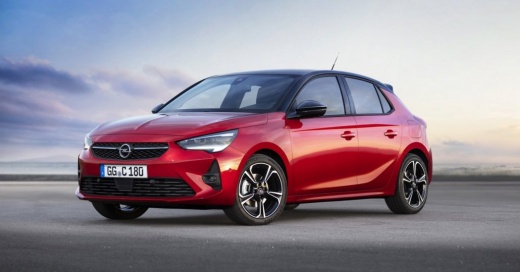
How to Reset the Service Light on an Opel Corsa?
Model: Vauxhall Corsa
Corsa F
- Years 2019-2026
This tutorial shows how to reset the service light on an Opel Corsa, a very simple and quick operation to be carried out only after completing all scheduled maintenance work. First, enter the cabin, then insert the key but leave it in the initial position. Next, press the button at the end of the left control lever, turn on the instrument panel, and keep the button pressed for the entire duration of the countdown displayed. To complete the procedure, simply restart the vehicle.
Posted on 7 October 2026 by ScegliAuto
Video tutorial
Related tutorials
Vauxhall Corsa
(2000-2006 /
Corsa C)
In this tutorial, we can see how to reset the service in the Opel Corsa, an extremely simple and quick operation to be performed only after completin…

Vauxhall Corsa
(2006-2014 /
Corsa D)
Resetting the service on the Opel Corsa, as shown in this tutorial, is an extremely simple and quick operation. Before proceeding, ensure you have co…

Vauxhall Corsa
(2006-2014 /
Corsa D)
In this tutorial we can see how to reset the service in the Opel Corsa, an extremely simple and quick operation, to be carried out only after complet…
Other guides you may be interested in
|
How to Replace the Emergency Call System Battery on BMW X2
To replace the battery of the emergency call system on the BMW X2, you need to remove the interior roof lining of the car. This will allow access to the components covered by it. At the rear left, near the passenger door, you will find the battery: it can be removed from its housing and replaced with a new spare part. After replacement, cover everything back with the interior lining panel, ensuring that everything functions correctly. by ScegliAuto More videos
|
|
For advertising on this site Write to info@scegliauto.com
ScegliAuto is not responsible for any inaccuracy of the data in the lists. To report any inaccuracy or your business (if you own the business in question), please write to info@scegliauto.com
Number of seconds to generate the page: 0.214
(c) ScegliAuto 2026 - info@scegliauto.com - Privacy policy VAT number: IT01247470535 |
