
|
Do it yourself
| |||
| ||||


|
Model: Piaggio Vespa 150 Primavera
The procedure that allows you to manually reset the service light on the display of your Vespa Primavera (2024) is really very simple. All you need to do is read the following guide and follow the various steps. First, make sure to start with the dashboard completely off, then locate and hold down the button located at the bottom of the right knob. At the same time, insert the key and turn on the dashboard of your Vespa Primavera. Wait a few seconds and release the button as soon as the reset of the light is completed.
Posted on 28 January 2026 by ScegliAuto
Video tutorial
Related tutorials
Vespa 150 Primavera
In this tutorial we can see how to reset the service on the Piaggio Vespa Primavera 150 scooter, an extremely simple and quick operation, to be carri…

Vespa 150 Primavera
To replace the ECU on the Vespa Primavera, open the glove compartment located just below the steering wheel and remove the tabs inside, both on the r…

Vespa 150 Primavera
In this tutorial, you will see how to replace the battery in a Piaggio Vespa 150 Primavera scooter, a very simple and quick operation. First, ensure …
|
How to Replace the Front Bulb on the Honda SH 125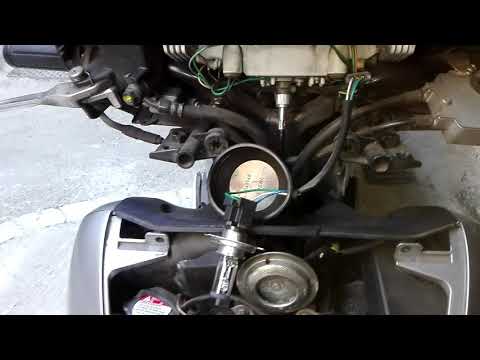
This tutorial explains the steps to replace the front headlamp bulb on the Honda SH 125. This is a very simple procedure. First, remove the front shield of the scooter to access the bulb replacement. To perform this first step, unscrew the lower screw and the two upper screws that secure the cover. At this point, the bulb will be clearly visible. Simply unscrew the bulb and insert a new one. It is recommended to carry out this procedure after ensuring that the bulb to be removed has cooled down. by ScegliAuto More videos
|
|
For advertising on this site Write to info@scegliauto.com
ScegliAuto is not responsible for any inaccuracy of the data in the lists. To report any inaccuracy or your business (if you own the business in question), please write to info@scegliauto.com
Number of seconds to generate the page: 0.198
(c) ScegliAuto 2026 - info@scegliauto.com - Privacy policy VAT number: IT01247470535 |
