
|
Do it yourself
| |||
| ||||


How to Reset the Service Light on the Vespa GTS 300?
Model: Piaggio Vespa Gts 300
Video tutorial
Detailed instructions - All the operations required for the regular maintenance of the Vespa GTS 300, or most of them, are shown in the video uploaded here. They have a scheduled or planned deadline, and it is important to adhere to these to avoid damaging the vehicle. The oil change, oil filter, air filter, and other tasks are specified in the user manual, along with the mileage at which to perform them. After completing these operations, here’s how to reset the light in question: After turning on the instrument panel, press and hold the first button from the bottom, located next to the left knob, for a few seconds, thus allowing the warning to turn off.
Posted on 14 April 2026 by ScegliAuto
Related tutorials
Vespa Gts 300
In this new guide dedicated to the Vespa GTS 300, discover how to manually reset the service light without the need for a professional. First, comple…

Vespa Gts 300
To reset the Service light on a Piaggio Vespa GTS 300, start by turning on the ignition by turning the key in the ignition switch; at this point, pre…
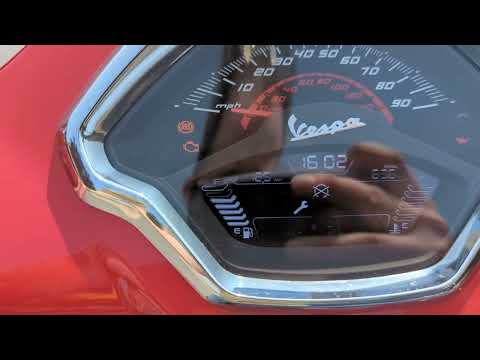
Vespa Gts 300
To manually reset the service light that appears on the central display of your Vespa GTS 300, follow these steps. First, ensure that your Vespa GTS …
|
How to replace the spark plug on the KTM Adventure 390
These brief and simple instructions will show you how to remove and replace the spark plug of the engine on the KTM Adventure 390 motorcycle. First, place the bike on the centre stand and start by removing the rider's seat and the plastic side panels of the tank; then remove the tank cover to access the top of the cylinder head, as shown in the video. At this point, disconnect the spark plug's electrical connector, using a socket wrench with an extension to remove it and replace it with the new one; screw in the new spark plug by hand and then tighten it with a spanner! by ScegliAuto More videos
|
|
For advertising on this site Write to info@scegliauto.com
ScegliAuto is not responsible for any inaccuracy of the data in the lists. To report any inaccuracy or your business (if you own the business in question), please write to info@scegliauto.com
Number of seconds to generate the page: 0.460
(c) ScegliAuto 2026 - info@scegliauto.com - Privacy policy VAT number: IT01247470535 |
