
|
Do it yourself
| |||
| ||||


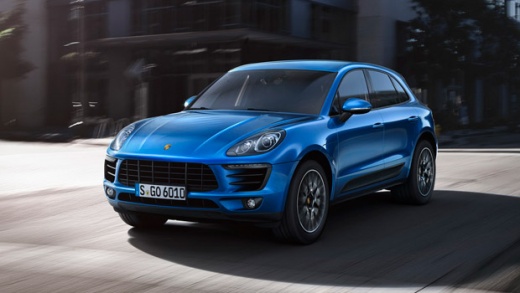
How to Remove the Door Panel on a Porsche Macan
Model: Porsche Macan
- Years:
2013, 2014, 2015, 2016, 2017, 2018, 2019, 2020, 2021, 2022, 2023, 2024
Video tutorial
Use a trim tool or screwdriver to carefully pry off the trim along the top of the door panel. Once the trim is removed, loosen all the screws underneath it. Also loosen the screw on the side of the panel. Pull the panel away from the door, then disconnect the connector underneath to remove the panel. Position the replacement panel, secure it with the screws, and reinstall the trim.
Posted on 26 November 2026 by ScegliAuto
Related tutorials
Porsche Macan
(2013-2024 /
MK 1)
Let's see how to replace the damaged side glass on a Porsche Macan. Remove the trim at the top of the panel, unscrew the screws inside with a screwdr…
Porsche Macan
(2013-2024 /
MK 1)
This guide provides the necessary instructions for removing the front door speaker on the first-generation Porsche Macan. First, open the front door …

Porsche Macan
(2013-2024 /
MK 1)
This guide will show you how to remove and replace the outer door handle (both front and rear) of the Porsche Macan. First, open the door and start p…
ScegliAuto offers an extensive international collection of automotive tutorials available in 12 languages. Each guide combines instructional videos with original explanations written by experienced human editors, along with information about the car models covered.
Other guides you may be interested in |
How do you reset the tyre pressure warning light on a Dacia Sandero?
To switch off the tyre pressure warning light on your Dacia Sandero, inflate the tyres to the recommended pressures. Then get into the car and insert the ignition key to switch on the instrument panel. Use the arrow buttons on the right-hand steering wheel spoke to scroll through the menu. When the tyre menu appears, press and hold the OK button until the warning light goes out. by ScegliAuto More videos
|
|
For advertising on this site Write to info@scegliauto.com
ScegliAuto is not responsible for any inaccuracy of the data in the lists. To report any inaccuracy or your business (if you own the business in question), please write to info@scegliauto.com
Number of seconds to generate the page: 0.012
(c) ScegliAuto 2026 - info@scegliauto.com - Privacy policy - About us VAT number: IT01247470535 |
