
|
Do it yourself
| |||
| ||||


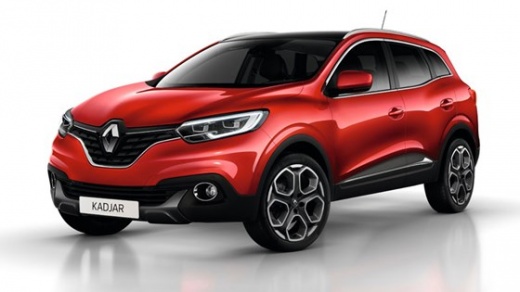
How do you reset the Service light on the Renault Kadjar?
Model: Renault Kadjar
MK 1
- Years 2015-2022
The Service indicator shown on the instrument panel of the Renault Kadjar can be reset by turning on the instrument panel and navigating through the menu shown on the instrument panel using the cursor on the right side. Once the option with the kilometers remaining until the next maintenance is identified, the OK button must be held down until the kilometers are reset to zero; the same operation must be performed when the kilometers remaining until the next oil change are shown. In this way, it will be possible to see that the Service indicator will turn off completely.
Posted on 18 August 2024 by ScegliAuto
Video tutorial
Related tutorials
Renault Kadjar
(2015-2022 /
MK 1)
It will be possible to reset the Service light displayed on the instrument panel of the Renault Kadjar by inserting the ignition key into the corresp…

Renault Kadjar
(2015-2022 /
MK 1)
If you do not know how to correctly perform the manual reset of the service light on your Renault Kadjar, then all you have to do is follow the steps…

Renault Kadjar
(2015-2022 /
MK 1)
On the instrument panel of the Renault Kadjar, the Service light can be reset by turning on the instrument panel and navigating through the menu that…
Other guides you may be interested in
|
How to Remove the High-Pressure Fuel Pump on VW Golf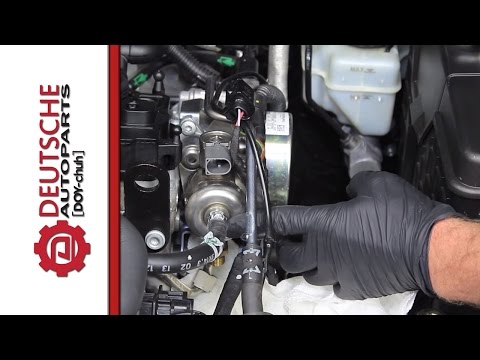
In this video, learn how to remove the high-pressure fuel pump on the Volkswagen Golf. Lift the bonnet and secure it, then remove the engine soundproofing panel. Using a screwdriver, unscrew the locking pins of the ventilation pipe and remove the piece from the engine bay. Start removing the fastening pins of the pump as shown in the video. Once the piece is detached from its seat, disconnect the clip present on it. Finally, refit the high-pressure fuel pump in the engine bay, along with the intake pipe and the soundproofing panel. by ScegliAuto More videos
|
|
For advertising on this site Write to info@scegliauto.com
ScegliAuto is not responsible for any inaccuracy of the data in the lists. To report any inaccuracy or your business (if you own the business in question), please write to info@scegliauto.com
Number of seconds to generate the page: 0.049
(c) ScegliAuto 2026 - info@scegliauto.com - Privacy policy VAT number: IT01247470535 |
