
|
Do it yourself
| |||
| ||||


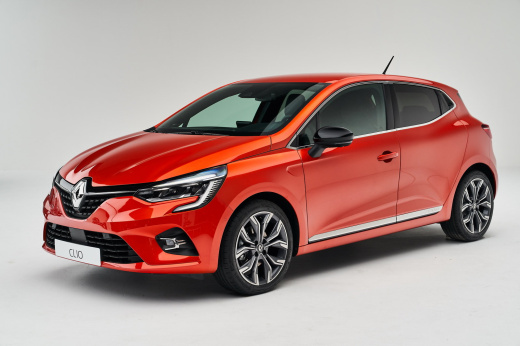
How to set the clock on the Renault Clio.
Model: Renault Clio
Clio V, Clio 5
- Years:
2019, 2020, 2021, 2022, 2023, 2024, 2025, 2026
Video tutorial
Below we will see the instructions that will allow us to change the clock on the central display of the Renault Clio. First, let's get inside the vehicle and start the instrument panel; then we go to the vehicle settings menu and then to the clock option, as shown in the video. At this point, we will change the hour and then the minutes, also adjusting the format and the date; we then exit the settings menu to save the changes made, checking the actual change of the time on the instrument panel!
Posted on 2 December 2025 by ScegliAuto
Related tutorials
Renault Clio
(2005-2013 /
Clio 3, MK 3, Clio III)
Today we will explain how to set the dashboard clock on a Renault model vehicle. Setting the time on the instrument panel of the Renault Clio mk3 mod…

Renault Clio
(2019-2026 /
Clio V, Clio 5)
This guide provides instructions for setting the date and time on the Renault Clio. First, get in the vehicle and turn on the instrument panel; then …

Renault Clio
(2005-2013 /
Clio 3, MK 3, Clio III)
To set the clock on the Renault Clio, turn on the instrument panel and also switch on the radio, as the clock will be set using its controls. Press a…
Other guides you may be interested in |
How to Set the Time on an Audi A6
Briefly, we will see the instructions to set the time on the Audi A6 by following these simple steps. First, get inside the vehicle and turn on the instrument cluster; then press the settings button and navigate to the time option to confirm your choice, as shown in the video. At this point, set the correct time and format, then exit the settings menu to save the changes made; finally, start the engine and ensure that the time has been set correctly! by ScegliAuto More videos
|
|
For advertising on this site Write to info@scegliauto.com
ScegliAuto is not responsible for any inaccuracy of the data in the lists. To report any inaccuracy or your business (if you own the business in question), please write to info@scegliauto.com
Number of seconds to generate the page: 1.049
(c) ScegliAuto 2026 - info@scegliauto.com - Privacy policy VAT number: IT01247470535 |
