
|
Do it yourself
| |||
| ||||


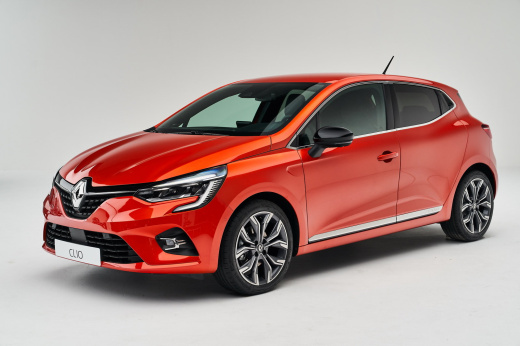
How to Use Android Auto and Apple CarPlay Wirelessly on a Renault Clio V
Model: Renault Clio
Clio V, Clio 5
- Years:
2019, 2020, 2021, 2022, 2023, 2024, 2025, 2026
Video tutorial
To use Android Auto and Apple CarPlay on your Renault Clio V, it is essential that the multimedia system is compatible with this service: indeed, the EasyLink system that supports this functionality is only available in the full version (not in the entry version). How can you check if your vehicle is enabled? Go to the 'devices' or 'connections' menu on your screen. If you see options like 'Android Auto wireless' or 'Apple CarPlay wireless', then the system is compatible as standard. In this case, the first connection must be made via cable; by accepting permissions on the phone and screen, enable Bluetooth in the vehicle, disconnect the cable, and after the initial setup, the infotainment will start automatically in wireless mode.
Posted on 4 August 2026 by ScegliAuto
Related tutorials
Renault Clio
(2019-2026 /
Clio V, Clio 5)
In this video, we see how to connect your smartphone to a Renault Clio V: go to "sources" on the car's multimedia screen, then press "settings" and t…

Renault Clio
(2005-2013 /
Clio 3, MK 3, Clio III)
To change the gearbox oil on a Renault Clio, raise the car to gain easier access to the components underneath the engine compartment. Locate the gear…

Renault Clio
(2019-2026 /
Clio V, Clio 5)
In this tutorial we can see how to use Cruise Control in the Renault Clio, an extremely simple and fast operation. This system should only be used on…
Other guides you may be interested in |
Frequently Asked QuestionsHow to Activate the Disabled TRC on the Toyota Yaris?
As the video clearly shows, disabling or activating the traction control (TRC or ESP) on the Toyota Yaris is very simple. By default, the traction system activates every time the vehicle is started. To disable it, simply press the button depicting a skidding car located in the centre of the vehicle where the controls are, such as the hazard lights and the radio, but near the handbrake. Once disabled, the TRC off light will illuminate on the dashboard. To reactivate it, just press the same button again. by ScegliAuto More videos
|
|
For advertising on this site Write to info@scegliauto.com
ScegliAuto is not responsible for any inaccuracy of the data in the lists. To report any inaccuracy or your business (if you own the business in question), please write to info@scegliauto.com
Number of seconds to generate the page: 0.016
(c) ScegliAuto 2026 - info@scegliauto.com - Privacy policy VAT number: IT01247470535 |
