
|
Do it yourself
| |||
| ||||


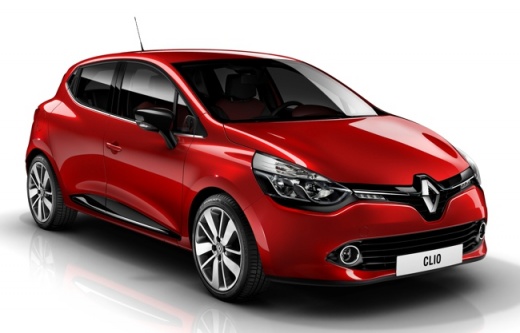
How to Find the Installed System Version on the Renault Clio Medianav
Model: Renault Clio
Clio IV, Clio 4, MK 4
- Years:
2012, 2013, 2014, 2015, 2016, 2017, 2018, 2019
Video tutorial
Knowing the installed system version on your Renault Clio Mk4 Medianav is very important as it allows you to immediately understand if you have an updated version or one that is too outdated. To find out which version you are using, follow the steps below. First, start the car's ignition and, of course, the Medianav. Next, click on the settings icon and enter the "System" option. Click on "System Version" and a few moments later, the installed software version will appear. Finally, simply go back to exit the menu.
Updated on 13 May 2026 by ScegliAuto
Related tutorials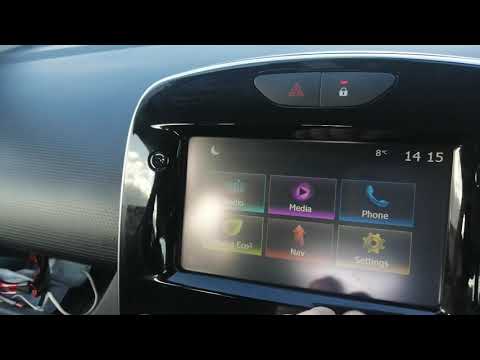
Renault Clio
(2012-2019 /
Clio IV, Clio 4, MK 4)
Below are the main steps to restore and update the Medianav multimedia system in the Renault Clio, as well as in the Captur. First, get into the vehi…

Renault Clio
(2012-2019 /
Clio IV, Clio 4, MK 4)
Today's guide will show you how to operate and use the Medianav multimedia system in the Renault Clio, as well as in the Captur. First, get into the …

Renault Clio
(2012-2019 /
Clio IV, Clio 4, MK 4)
The Medianav Renault system, also available in the Renault Clio 4, is responsible for managing all the infotainment present in the car and the inform…
Other guides you may be interested in |
How to Set the Time on an Audi A6
Briefly, we will see the instructions to set the time on the Audi A6 by following these simple steps. First, get inside the vehicle and turn on the instrument cluster; then press the settings button and navigate to the time option to confirm your choice, as shown in the video. At this point, set the correct time and format, then exit the settings menu to save the changes made; finally, start the engine and ensure that the time has been set correctly! by ScegliAuto More videos
|
|
For advertising on this site Write to info@scegliauto.com
ScegliAuto is not responsible for any inaccuracy of the data in the lists. To report any inaccuracy or your business (if you own the business in question), please write to info@scegliauto.com
Number of seconds to generate the page: 0.008
(c) ScegliAuto 2026 - info@scegliauto.com - Privacy policy VAT number: IT01247470535 |
