
|
Do it yourself
| |||
| ||||


How to Replace the Battery in a Renault Clio 3
Model: Renault Clio
MK 3, Clio 3, Clio III
- Years 2005-2013
In this video tutorial, you will see how to replace the battery in a Renault Clio 3 by following some simple steps: the first thing to do is to purchase a new battery with the same amperage; get inside the vehicle, switch off the car, and pull the handbrake. Lift the bonnet and secure it with the prop rod. The battery is located on the right side of the engine compartment, press down on the tabs that secure the battery support cover to remove it. Using a 13 mm socket and extension, unscrew the battery support plate and take it out. Never disconnect the positive terminal first, as the entire car is still connected to the negative, which could create dangerous sparks for the car's electrical system; therefore, using a 10 mm socket, start with the negative terminal, then unscrew the positive terminal of the battery. Once both terminals are removed and secured, you can extract the battery from its location and replace it with the new one.
Updated on 10 June 2026 by ScegliAuto
Video tutorial
Related tutorials
Renault Clio
(2012-2019 /
Clio IV, MK 4, Clio 4)
In the following guide, we will help you complete the replacement of the battery in your Renault Clio Mk4 safely and quickly. First of all, make sure…
Renault Clio
(1998-2005 /
Clio 2, MK 2)
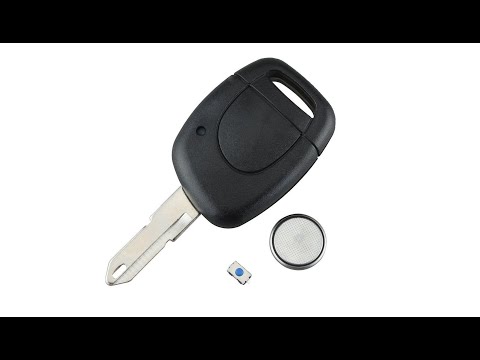
Start by prising open the rear side of the key fob for your Renault Clio. Next, using a flathead screwdriver, lever out and remove the key battery. T…

Renault Clio
(2012-2019 /
Clio IV, MK 4, Clio 4)
To replace the battery of the remote control of a new generation Renault Clio mk4 model, we need to use a flat head screwdriver to lift the battery c…
Other guides you may be interested in
|
How to Adjust the Brightness of the Instrument Cluster on a Peugeot 3008?
To adjust the brightness of the instrument cluster on a Peugeot 3008, you need to turn on the ignition and access the settings via the menu located in the central area of the dashboard. In the screen that appears, select the "Display Configuration" option: now, by selecting the "Brightness" option, you can adjust it using the dedicated slider that will appear on the screen. The adjustment should be made with the headlights on as well as with them off. Once the adjustment is complete, you can turn off the instrument cluster. by ScegliAuto More videos
|

|
For advertising on this site Write to info@scegliauto.com
ScegliAuto is not responsible for any inaccuracy of the data in the lists. To report any inaccuracy or your business (if you own the business in question), please write to info@scegliauto.com
Number of seconds to generate the page: 0.238
(c) ScegliAuto 2026 - info@scegliauto.com - Privacy policy VAT number: IT01247470535 |
