
|
Do it yourself
| |||
| ||||


How to organize widgets in the Renault Easylink system.
Model: Renault Renault Various
Let's see how to organize the Renault Easylink system if we don't use Apple CarPlay or Android Auto: let's start from the home page. Click on "edit" at the bottom right and a screen opens where there are various pages as well as how we can configure them, and below there are various widgets (i.e. objects that we can place) and we can choose the format in which we want to configure them. To configure, we choose the widget that we want to place on the page layout, press and hold our finger on it, and drag it. They are not numerous, but they can be useful, and above all, it depends on personal preferences.
Posted on 27 July 2023 by ScegliAuto
Video tutorial
Related tutorials
Renault Renault Various
To reset Renault's R-link, let's go to the main menu, press system, scroll through the settings, and go to "restore original settings". When asked "d…

Renault Renault Various
In this tutorial we can see how to reset the R-Link system of a Renault, an extremely simple and quick operation, to be carried out for example as an…

Renault Renault Various
In this tutorial we can see how to reset the multimedia system R-Link in a Renault, an extremely simple and quick operation to be carried out as an a…
Other guides you may be interested in
|
How to Remove the Engine Air Filter on a Fiat 500X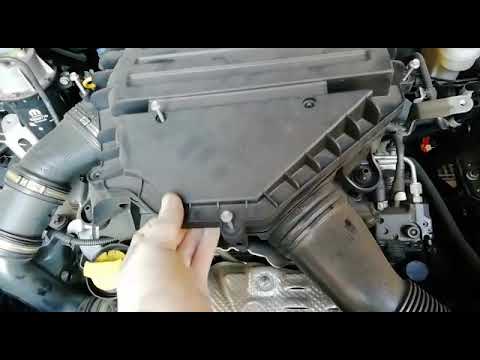
To remove the engine air filter on a Fiat 500X: open the car door, pull up the lever to open the engine bay located at the bottom left of the dashboard and lift the front bonnet, securing it with the prop rod. Unscrew the retaining bolts of the air intake kit (located above the engine head), remove the cover of the filter box and extract the worn air filter. Insert a new filter into the designated housing (ensuring it fits snugly against the walls). Finally, reassemble the air box cover and tighten everything with the bolts. Close the front bonnet after maintenance. by ScegliAuto More videos
|
|
For advertising on this site Write to info@scegliauto.com
ScegliAuto is not responsible for any inaccuracy of the data in the lists. To report any inaccuracy or your business (if you own the business in question), please write to info@scegliauto.com
Number of seconds to generate the page: 0.054
(c) ScegliAuto 2026 - info@scegliauto.com - Privacy policy VAT number: IT01247470535 |
