
|
Do it yourself
| |||
| ||||


How to reset the service on the Renault Laguna?
Model: Renault Laguna
Laguna 2, MK 2, X74
- Years 2001-2007
Resetting the service on the Renault Laguna, as we can see in this tutorial, is an extremely simple and fast operation. Before doing this, we must have completed all the required scheduled maintenance work. Let's start by inserting the key and turning on the instrument panel, then scroll through the various screens of the display with quick presses of the button located at the end of the windshield wiper control lever. Once we reach the service interval, we hold down the same button for the necessary time for it to reset, and finally restart the instrument panel.
Posted on 9 August 2023 by ScegliAuto
Video tutorial
Related tutorials
Renault Laguna
(2007-2015 /
MK III, Laguna 3, MK 3, Laguna III, X91)
To reset the Service light on the Renault Laguna, you need to turn on the instrument panel by inserting the ignition key into the corresponding slot …

Renault Laguna
(2007-2015 /
MK III, Laguna 3, MK 3, Laguna III, X91)
In this tutorial we can see how to reset the service in the Renault Laguna, an extremely simple and quick operation. Before doing this, we must have …

Renault Laguna
(2007-2015 /
MK III, Laguna 3, MK 3, Laguna III, X91)
In order to reset the Service light of the Renault Laguna, you need to go inside the car and turn on the instrument panel by inserting the ignition k…
Other guides you may be interested in
|
How to Remove the Steering Column on an Opel Meriva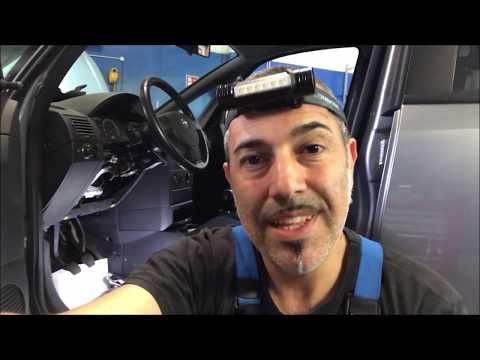
Here’s how to remove the steering column on an Opel Meriva. Start by removing the plastic covers around the steering wheel (using a plastic trim tool), then remove the lower plastic covers. Unscrew the securing bolts at the bottom of the steering column using a socket wrench; remove the steering column (after freeing both ends) and prepare to fit the new part. Connect the new steering column to the vehicle body, tighten all the bolts, and finally reattach the plastic covers. Test the correct operation of the part. by ScegliAuto More videos
|
|
For advertising on this site Write to info@scegliauto.com
ScegliAuto is not responsible for any inaccuracy of the data in the lists. To report any inaccuracy or your business (if you own the business in question), please write to info@scegliauto.com
Number of seconds to generate the page: 0.106
(c) ScegliAuto 2026 - info@scegliauto.com - Privacy policy VAT number: IT01247470535 |
