
|
Do it yourself
| |||
| ||||


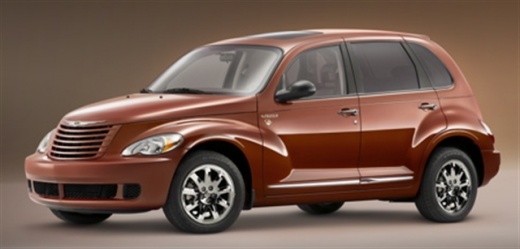
How to Remove the Front Brake Pads on a Chrysler PT Cruiser
Model: Chrysler Pt Cruiser
MK 1
- Years:
2000, 2001, 2002, 2003, 2004, 2005, 2006, 2007, 2008, 2009, 2010
This video is currently unavailable
To remove the front brake pads on a Chrysler PT Cruiser, position the car on a column lift and raise it to a comfortable height. Unscrew the pins using a socket wrench or air drill and remove the wheel. Then, use a screwdriver to detach the brake pads. Next, remove the caliper bracket and unscrew the pins on the brake disc (using a Torx screwdriver). Pull the disc towards you to slide it off the hub. Install the new brake disc with all associated pins, secure the caliper bracket to the disc and the pads, then mount the brake caliper, ensuring all pins are tightened properly. Before mounting the wheel, bleed the brake caliper and tighten the pin.
Updated on 5 March 2026 by ScegliAuto
Related tutorials
Chrysler Pt Cruiser
(2000-2010 /
MK 1)
The fuses of the Chrysler PT Cruiser are divided inside the appropriate fuse boxes that are installed on the vehicle: on this car model, two can be i…
Chrysler Pt Cruiser
(2000-2010 /
MK 1)
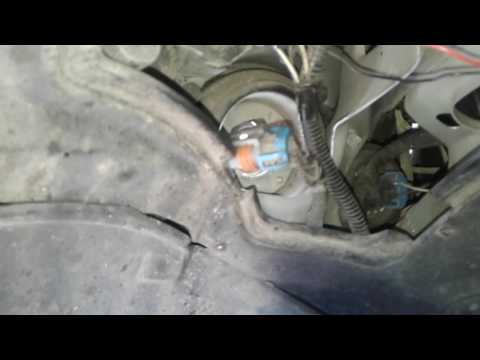
In today's video tutorial, you will see how to remove and replace the front headlamp bulb on a Chrysler Pt Cruiser. First, you need to know that to a…

Chrysler Pt Cruiser
(2000-2010 /
MK 1)
In this tutorial, we can see how to replace the front headlight bulbs in the Chrysler PT Cruiser, a very simple and quick operation. First of all, ma…
Other guides you may be interested in
|
How to Set the Date and Time on the Iveco Daily
Today, we will see in this video tutorial how to change the date and time on the Iveco Daily. First, get into the vehicle and turn on the instrument panel; then go to the vehicle settings on the central display, pressing the relevant option for date and time. At this point, press the "set" button located at the top, using the physical arrow buttons to set both the date and time; finally, exit the onboard computer menu to save the changes made! by ScegliAuto More videos
|
|
For advertising on this site Write to info@scegliauto.com
ScegliAuto is not responsible for any inaccuracy of the data in the lists. To report any inaccuracy or your business (if you own the business in question), please write to info@scegliauto.com
Number of seconds to generate the page: 0.027
(c) ScegliAuto 2026 - info@scegliauto.com - Privacy policy VAT number: IT01247470535 |
