
|
Do it yourself
| |||
| ||||


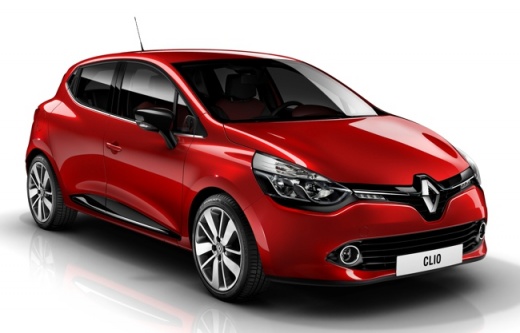
How to Manually Set the Time on the Renault Clio 4
Model: Renault Clio
Clio IV, Clio 4, MK 4
- Years:
2012, 2013, 2014, 2015, 2016, 2017, 2018, 2019
Video tutorial
If you see the wrong time on the central display of your Renault Clio Mk4 (2012-2019) and are wondering how to change it manually, read the following guide carefully and then apply what is described. First, get inside the car and turn on both the instrument panel and the central display of the radio. Then, go into the settings and click on "Clock/Units". At this point, select the "Time setting" option and proceed to change the hour and minute digits. Finally, exit the menu, and you are finished.
Updated on 27 August 2026 by ScegliAuto
Related tutorials
Renault Clio
(2019-2026 /
Clio V, Clio 5)
This guide provides instructions for setting the date and time on the Renault Clio. First, get in the vehicle and turn on the instrument panel; then …

Renault Clio
(2012-2019 /
Clio IV, Clio 4, MK 4)
To manually change the displayed time on your fourth generation Renault Clio, simply follow the procedure described in the following guide. First of …

Renault Clio
(2012-2019 /
Clio IV, Clio 4, MK 4)
This article explains how to set the time on the Renault Clio 4. The procedure takes less than 1 minute and does not require any software or tools. T…
Other guides you may be interested in |
Where are the fuses located on the Renault Laguna?
On the Renault Laguna, the fuses are located inside the fuse boxes installed in the vehicle: in this car model, you will find two boxes for containing the fuses. The first is in the fuse box on the left side of the dashboard, accessible by opening the driver's door: here you will find the fuses for the windscreen wipers, fog lights, horn, etc. The second box is located on the right side of the engine compartment: here you will find the fuses for the dipped headlights, radiator fan, alternator, etc. by ScegliAuto More videos
|
|
For advertising on this site Write to info@scegliauto.com
ScegliAuto is not responsible for any inaccuracy of the data in the lists. To report any inaccuracy or your business (if you own the business in question), please write to info@scegliauto.com
Number of seconds to generate the page: 0.061
(c) ScegliAuto 2026 - info@scegliauto.com - Privacy policy VAT number: IT01247470535 |
