
|
Do it yourself
| |||
| ||||


How to reset the oil service on the Renault Talisman?
Model: Renault Talisman
MK 1
- Years 2015-2023
In this tutorial, we can see how to reset the oil service in the Renault Talisman, an extremely simple and fast operation, to be carried out only after completing the required scheduled maintenance work. First of all, we insert the key and turn on the instrument panel, then, using the directional arrows located on the right side of the steering wheel, we scroll through the various options on the display until we reach the one related to the service in question. Once we have done this, we hold down the "OK" button for the necessary time for the interval to reset correctly and then restart the vehicle.
Posted on 26 December 2023 by ScegliAuto
Video tutorial
Related tutorials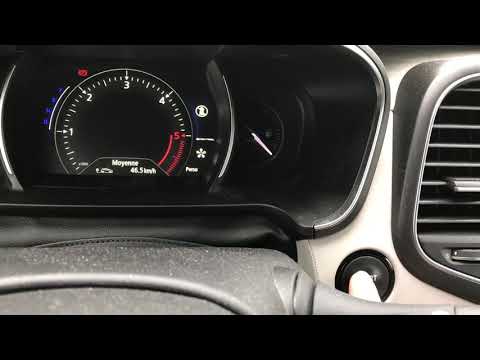
Renault Talisman
(2015-2023 /
MK 1)
After having performed the engine oil replacement of the Renault Talisman, we need to reset the system that alerts us of the need for this operation.…

Renault Talisman
(2015-2023 /
MK 1)
In order to reset the Service light of the Renault Talisman, you need to turn on the instrument panel and press the appropriate button located to the…

Renault Talisman
(2015-2023 /
MK 1)
These short and simple steps will allow us to reset the service light for the regular maintenance of the engine oil change in the Renault Talisman. F…
Other guides you may be interested in
|
Frequently Asked QuestionsResetting Tyre Pressure Light on Ford Fiesta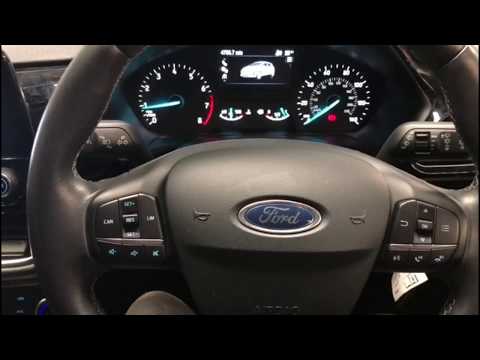
In this video tutorial, you will learn how to reset the tyre pressure warning light on a Ford Fiesta. Get into the car and turn on the ignition: you will notice that the warning light stays on unlike the others that turn off. Then press the button on the steering wheel for the menu and scroll through the display until you find "tyre pressure". Click and proceed to reset; then all you need to do is turn off the ignition and turn it back on. You will see that the warning light has been reset! Check the correct pressure of all the tyres! by ScegliAuto More videos
|
|
For advertising on this site Write to info@scegliauto.com
ScegliAuto is not responsible for any inaccuracy of the data in the lists. To report any inaccuracy or your business (if you own the business in question), please write to info@scegliauto.com
Number of seconds to generate the page: 0.095
(c) ScegliAuto 2026 - info@scegliauto.com - Privacy policy VAT number: IT01247470535 |
