
|
Do it yourself
| |||
| ||||


How do you reset the Service light on the Renault Clio?
Model: Renault Clio
Clio 5, Clio V
- Years 2019-2026
On board the Renault Clio, the reset of the Service light is done by turning the key to turn on the vehicle's instrument panel. Once the instrument panel has been turned on, you will need to navigate through the menu that appears on the instrument panel using the directional controls located on the right side of the steering wheel. When the icon with the car and the kilometers remaining until the next maintenance is displayed, you will need to hold down the OK button located on the right side of the steering wheel. In this way, the kilometers remaining until the next service will start flashing and the Service light will turn off.
Posted on 18 June 2024 by ScegliAuto
Video tutorial
Related tutorials
Renault Clio
(2019-2026 /
Clio 5, Clio V)
Let’s see how to reset the service light on a Renault Clio V: turn on the ignition without starting the engine and wait for the instrument test. Navi…
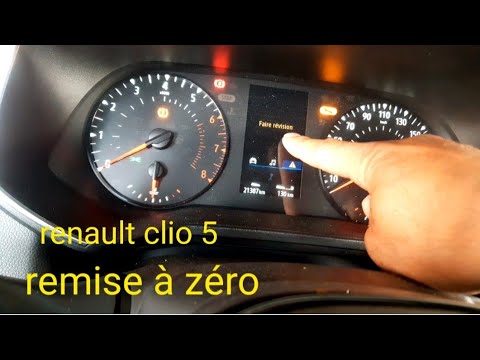
Renault Clio
(2019-2026 /
Clio 5, Clio V)
To reset the Renault Clio 5 Service warning light, you need to turn on the instrument panel and move around the menu that will appear on the display …
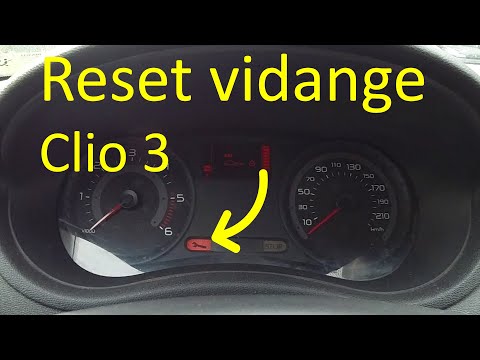
Renault Clio
(2005-2013 /
MK 3, Clio 3, Clio III)
In order to reset the Renault Clio Service warning light, you need to turn on the instrument panel and then press and hold the button located at the …
Other guides you may be interested in
|
How to Change the Engine Oil on a Toyota Prius
How do you change the engine oil on a Toyota Prius? It’s a simple operation if you follow the right steps. Lift the car on a column lift or jack, after removing the cover panel, use a socket wrench to unscrew the bolt from the oil sump, allowing the fluid to drain into a disposal container. Refit the bolt of the oil sump and the oil filter. Lower the car and lift the bonnet, securing it. Finally, top up with the new oil. Measure the oil level multiple times with the metal dipstick until you reach the ideal measurement. by ScegliAuto More videos
|
|
For advertising on this site Write to info@scegliauto.com
ScegliAuto is not responsible for any inaccuracy of the data in the lists. To report any inaccuracy or your business (if you own the business in question), please write to info@scegliauto.com
Number of seconds to generate the page: 0.121
(c) ScegliAuto 2026 - info@scegliauto.com - Privacy policy VAT number: IT01247470535 |
