
|
Do it yourself
| |||
| ||||


How do you reset the Service light on the Renault Arkana?
Model: Renault Arkana
MK 1
- Years 2019-2026
In order to reset the Service light of the Renault Arkana, you need to turn on the instrument panel by pressing the dedicated ignition button located next to the steering column: at this point, you can navigate through the menu that will appear on the screen using the arrow buttons on the right side of the steering wheel. Once the maintenance message is displayed, you can press and hold the OK button, also located on the right side, until the light disappears; then you can complete the operation by turning off the instrument panel.
Posted on 3 July 2024 by ScegliAuto
Video tutorial
Related tutorials
Renault Arkana
(2019-2026 /
MK 1)
In the Renault Arkana, to reset the maintenance warning after an oil change, park the Renault Arkana and turn on the instrument panel without startin…

Renault Arkana
(2019-2026 /
MK 1)
In order to reset the Service light of the Renault Arkana, you need to turn on the instrument panel, moving within the menu that will appear on the i…

Renault Arkana
(2019-2026 /
MK 1)
To completely remove the Service light from the instrument panel of the Renault Arkana, it will be necessary to turn on the instrument panel by press…
Other guides you may be interested in
|
Replacing Cabin Filter on Renault Modus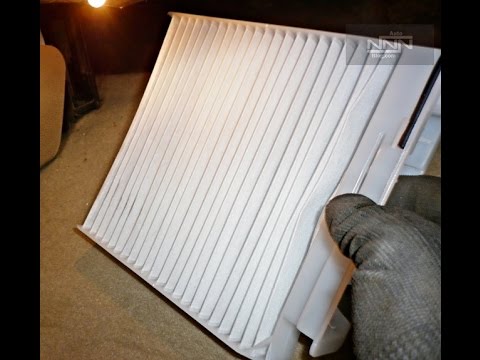
Replace the cabin filter on a Renault Modus. Open the door and remove the glove compartment from the dashboard on the right side. Use a plastic lever to detach the cover located under the dashboard. Unscrew the securing screws around the perimeter of the glove compartment with a screwdriver. Once this is done, pull out the glove compartment and disconnect the power cables. Extract the cabin filter from its housing, insert the new filter into the holder, and reassemble all components of the glove compartment as they were disassembled. by ScegliAuto More videos
|
|
For advertising on this site Write to info@scegliauto.com
ScegliAuto is not responsible for any inaccuracy of the data in the lists. To report any inaccuracy or your business (if you own the business in question), please write to info@scegliauto.com
Number of seconds to generate the page: 0.066
(c) ScegliAuto 2026 - info@scegliauto.com - Privacy policy VAT number: IT01247470535 |
