
|
Do it yourself
| |||
| ||||


How to set the time on a Renault Clio 2 vehicle
Model: Renault Clio
Clio 2, MK 2
- Years 1998-2005
Adjusting the clock of the Renault Clio model mk2 is a simple operation, but above all very fast because you will have to perform only one step. In fact, to adjust the time of the Clio 2, after the change due to daylight saving time, you simply have to, with the vehicle stopped and turned off, press the button on the right side of the instrument panel. By keeping the button pressed, as also indicated in the video, for a few minutes the adjustment of the hours and minutes will be activated. Press several times to switch from one hour to another. Once the operation is done, you can turn on the instrument panel to verify that the time has been set correctly.
Posted on 4 July 2024 by ScegliAuto
Video tutorial
Related tutorials
Renault Clio
(2019-2026 /
Clio V, Clio 5)
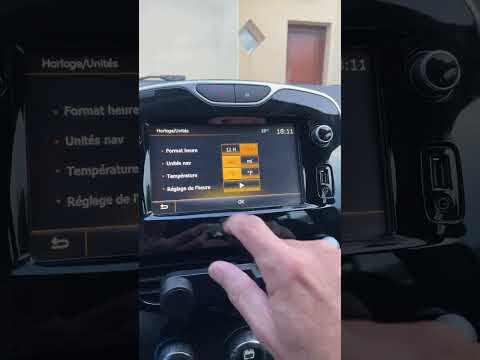
This guide provides instructions for setting the date and time on the Renault Clio. First, get in the vehicle and turn on the instrument panel; then …
Renault Clio
(2012-2019 /
Clio IV, MK 4, Clio 4)
In this tutorial, you will learn how to set the time in the Renault Clio, a very simple and quick operation to perform, for example, after disconnect…

Renault Clio
(2005-2013 /
MK 3, Clio 3, Clio III)
Here are the instructions on how to change the time in our Renault Clio 3. First, turn on the ignition and locate the clock button, usually in the ce…
Other guides you may be interested in
|
Where is the Spare Wheel in the Peugeot 5008?
This video shows where the spare wheel is located in the Peugeot 5008 and how to access it, useful in case of a puncture. As shown, the wheel is not in the usual boot compartment but underneath it, outside the vehicle. To free the wheel, first gather the tools provided, then open the boot, locate the small indicated hatch, and open it. Next, loosen the bolt just released using the large socket wrench enough to lower the wheel to the ground. by ScegliAuto More videos
|
|
For advertising on this site Write to info@scegliauto.com
ScegliAuto is not responsible for any inaccuracy of the data in the lists. To report any inaccuracy or your business (if you own the business in question), please write to info@scegliauto.com
Number of seconds to generate the page: 0.367
(c) ScegliAuto 2026 - info@scegliauto.com - Privacy policy VAT number: IT01247470535 |
