
|
Do it yourself
| |||
| ||||


How to Replace the Central Screen of a Renault Clio II
Model: Renault Clio
MK 2, Clio 2
- Years:
1998, 1999, 2000, 2001, 2002, 2003, 2004, 2005
Video tutorial
Remove the upper cover of the steering wheel above the dashboard by unscrewing 3 upper screws (2 at the ends and 1 in the centre), and 2 side screws (one on the driver’s side and one on the passenger’s side). Then, remove the footwell covers of the pillars by pressing the retaining clips. Once the screws are removed, press the quick-release clips on the sides of the instrument panel and gently pull it towards you. Disconnect the two rear connectors (one red and one grey) by rotating the locking lever and pulling them away. The display is housed in a plastic box at the back of the dashboard; unlock it by pressing the clips, remove the old module, and insert the new one, which you may have found on b-part.com, an interesting site for used Renault parts. Temporarily connect the connectors, start the car, and check that the display lights up and shows the information. Reconnect the connectors, reposition the instrument panel, screw all the screws back in, and replace the footwell covers and pillars.
Posted on 31 January 2026 by ScegliAuto
Related tutorials
Renault Clio
(2012-2019 /
Clio IV, Clio 4, MK 4)
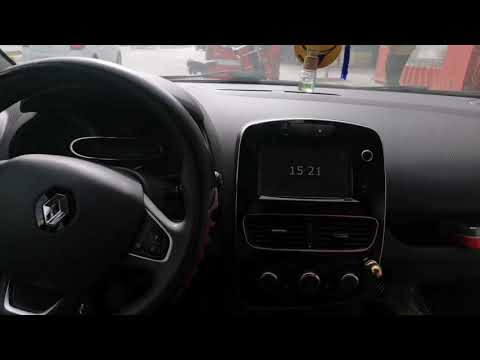
In this video, we see how to change the language on the multimedia screen and display of the Renault Clio IV: from the multimedia screen, we press th…
Renault Clio
(2012-2019 /
Clio IV, Clio 4, MK 4)
In this short video, we will see how to remove the Medianav radio screen on the fourth-generation Renault Clio, as well as on the Renault Captur and …

Renault Clio
(2019-2026 /
Clio V, Clio 5)
In this video, you will discover a feature of the Renault Clio V that not all owners may know about: it is possible to change the sound of the parkin…
Other guides you may be interested in
|
How to Activate the Disabled TRC on the Toyota Yaris?
As the video clearly shows, disabling or activating the traction control (TRC or ESP) on the Toyota Yaris is very simple. By default, the traction system activates every time the vehicle is started. To disable it, simply press the button depicting a skidding car located in the centre of the vehicle where the controls are, such as the hazard lights and the radio, but near the handbrake. Once disabled, the TRC off light will illuminate on the dashboard. To reactivate it, just press the same button again. by ScegliAuto More videos
|
|
For advertising on this site Write to info@scegliauto.com
ScegliAuto is not responsible for any inaccuracy of the data in the lists. To report any inaccuracy or your business (if you own the business in question), please write to info@scegliauto.com
Number of seconds to generate the page: 0.025
(c) ScegliAuto 2026 - info@scegliauto.com - Privacy policy VAT number: IT01247470535 |
