
|
Do it yourself
| |||
| ||||


How to disassemble the dashboard of the Renault Clio
Model: Renault Clio
MK 2, Clio 2
- Years:
1998, 1999, 2000, 2001, 2002, 2003, 2004, 2005
Video tutorial
Below we will see the main instructions that will allow us to disassemble and remove the entire dashboard of the Renault Clio. First, we get into the car and start to unhook and remove the plastic side pillars and side covers of the dashboard, levering on the sides; then we unscrew the screws located on the top of the dashboard, as shown in the video. At this point, we remove the lower cover of the steering wheel and the instrument panel, unscrewing all the fixing screws; we then remove the entire dashboard, making repairs or replacing it with a new one.
Posted on 13 June 2025 by ScegliAuto
Related tutorials
Renault Clio
(1998-2005 /
MK 2, Clio 2)
To dismantle the dashboard on a Renault Clio, use a tool to pry off the horizontal trim located on the passenger side and partly on the driver's side…

Renault Clio
(2005-2013 /
Clio 3, MK 3, Clio III)
In this tutorial, you will see how to remove the intake manifold on a Renault Clio, a very simple operation to carry out if you need to clean or repl…
Renault Clio
(1998-2005 /
MK 2, Clio 2)
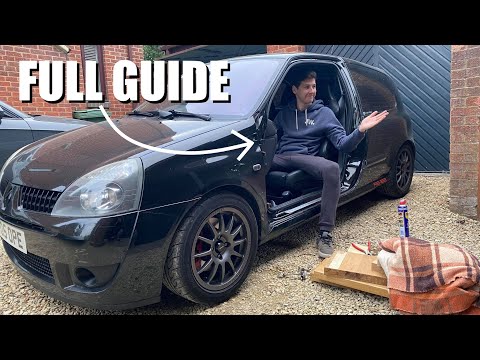
In this tutorial, you will learn how to replace the driver's door on a Renault Clio. This is a straightforward task but requires good manual skills. …
Other guides you may be interested in
|
How to Open the Fuel Filler Flap in the Hyundai i30?
In this tutorial, you will learn how to open the fuel filler flap in the Hyundai i30, a very simple operation that follows the typical procedure of most vehicles. First, unlock the locks using the designated button on the remote, then open the driver's door, locate the release lever on the left side of the seat, and operate it. Next, move to the fuel filler flap, open it completely, unscrew the cap, and refuel as needed. To close the flap, simply press it gently. by ScegliAuto More videos
|
|
For advertising on this site Write to info@scegliauto.com
ScegliAuto is not responsible for any inaccuracy of the data in the lists. To report any inaccuracy or your business (if you own the business in question), please write to info@scegliauto.com
Number of seconds to generate the page: 0.033
(c) ScegliAuto 2026 - info@scegliauto.com - Privacy policy VAT number: IT01247470535 |
