
|
Do it yourself
| |||
| ||||


Resetting the tire pressure warning light on the Renault Clio.
Model: Renault Clio
Clio V, Clio 5
- Years 2019-2026
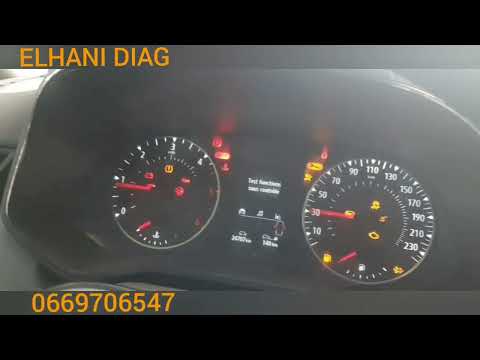
These simple steps will allow us to reset the tire pressure monitoring system (TPMS) light on the Renault Clio; before performing the reset, it is necessary that all four tires are at the correct pressure. Then, we get into the car and turn on the instrument panel; then we press the menu button to enter the settings, scrolling through the options until we reach the tire pressure setting, as shown in the video. At this point, we hold down the up arrow button until the tire pressure option stops flashing (completing the reset)!
Posted on 18 July 2024 by ScegliAuto
Video tutorial
Related tutorials
Renault Clio
(2019-2026 /
Clio V, Clio 5)
The ignition of the tire pressure warning light signals an anomaly in the pressures on one or more tires; before resetting the light on the Renault C…
Renault Clio
(2019-2026 /
Clio V, Clio 5)
Let's briefly see in this guide how to reset the tire pressure warning light (TPMS) of the Renault Clio; before performing the reset, it is necessary…

Renault Clio
(2012-2019 /
Clio IV, MK 4, Clio 4)
It will be possible to reset the tire pressure warning light that appears on the instrument panel of the Renault Clio by turning on the instrument pa…
Other guides you may be interested in
|
Frequently Asked QuestionsHow to Remove the Factory Radio on a Mercedes A-Class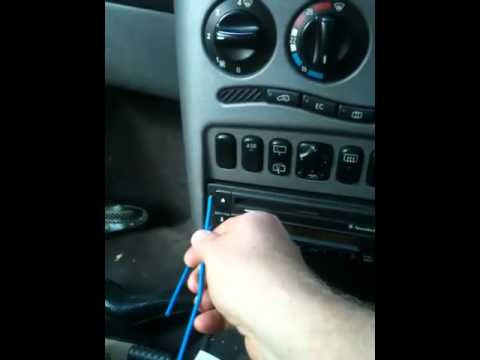
How do you remove the factory radio on a Mercedes A-Class? Let's carefully go through the disassembly process. Use the original or aftermarket metal keys to remove the car stereo: Insert the keys into the holes on the plastic trim of the stereo, pull the stereo towards you as shown in the video, and carefully extract the radio while being mindful of the various wiring (disconnect the power connectors and the antenna cable). Finally, reinstall the original radio or a generic brand with the appropriate adapter for the input and connector. by ScegliAuto More videos
|
|
For advertising on this site Write to info@scegliauto.com
ScegliAuto is not responsible for any inaccuracy of the data in the lists. To report any inaccuracy or your business (if you own the business in question), please write to info@scegliauto.com
Number of seconds to generate the page: 0.053
(c) ScegliAuto 2026 - info@scegliauto.com - Privacy policy VAT number: IT01247470535 |
