
|
Do it yourself
| |||
| ||||


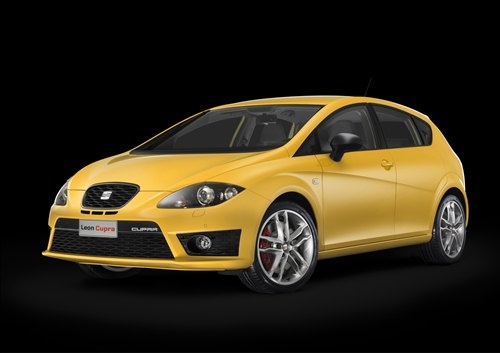
How to Reset the Service Light on a Seat Leon?
Model: Seat Leon
1P
- Years:
2005, 2006, 2007, 2008, 2009, 2010, 2011, 2012, 2013
Video tutorial
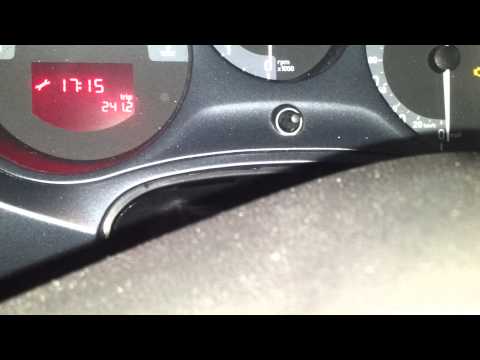
To reset the Service light on a Seat Leon, press and hold the button located in the centre of the instrument cluster. While holding this button, insert the ignition key and turn it to power on the instrument cluster. You can then release the button, turning it until the hour indicator starts to flash: at this point, the cluster can be turned off. When it is turned back on, you can check that the Service light has been reset correctly.
Updated on 4 October 2026 by ScegliAuto
Related tutorials
Seat Leon
(2005-2013 /
1P)
To manually reset the service light on your second series Seat Leon, follow the procedure described in this guide. First, get into the car and reach …
Seat Leon
(2005-2013 /
1P)
To reset the Service light on the Seat Leon, press and hold the button located in the centre of the instrument panel while it is off. Continue holdin…

Seat Leon
(2005-2013 /
1P)
To reset the Service light on a Seat Leon, press and hold the button located at the centre of the instrument cluster while it is off. Continue holdin…
Other guides you may be interested in
|
How to Activate the Cruise Control on the Toyota Yaris?
To activate the cruise control on the Toyota Yaris, start the engine by turning the key in the ignition switch. Once the engine is running, press the accelerator pedal until you reach the desired speed. Then, press the button on the right side of the steering wheel to activate the cruise control. You can also adjust the cruising speed by lifting the switch to increase it and lowering the switch to decrease it. by ScegliAuto More videos
|
|
For advertising on this site Write to info@scegliauto.com
ScegliAuto is not responsible for any inaccuracy of the data in the lists. To report any inaccuracy or your business (if you own the business in question), please write to info@scegliauto.com
Number of seconds to generate the page: 0.106
(c) ScegliAuto 2026 - info@scegliauto.com - Privacy policy VAT number: IT01247470535 |
