
|
Do it yourself
| |||
| ||||


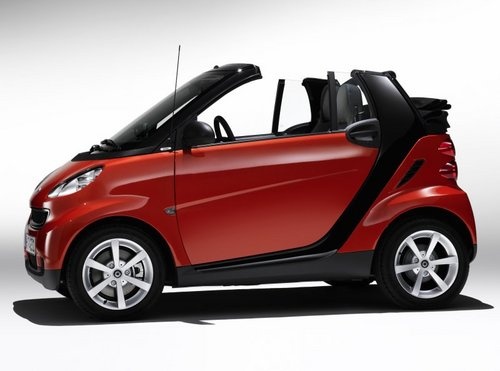
How to Remove the Stereo from the Smart 451
Model: Smart Smart
451
- Years:
2007, 2008, 2009, 2010, 2011, 2012, 2013, 2014, 2015
Video tutorial
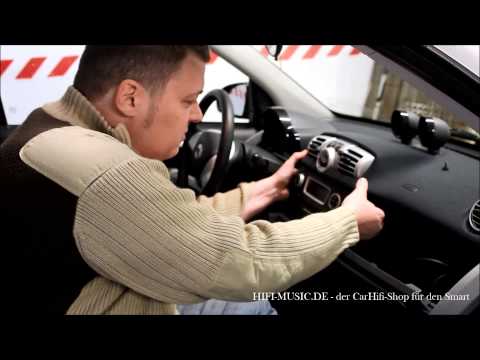
In this video tutorial, see how to remove the stereo from the Smart 451 by following a few simple steps that will help you dismantle the stereo in just a few minutes. First, get into your vehicle and pull towards you the button panel (indicators, lock and unlock buttons) located below the stereo. Then, extract the entire button block and unscrew the screw found in the hole where the wires come out (to avoid losing the screw, use a magnetic screwdriver). Now, using a small screwdriver, pry off and remove the plastic part. Next, unscrew the four screws indicated by the arrows. You can now pull the stereo out of its housing.
Updated on 18 June 2026 by ScegliAuto
Related tutorials
Smart
(2007-2015 /
451)
In this video tutorial, see how to remove the car radio from a Smart Fortwo 451. First, carefully remove the button panel below the radio. In the cen…
Smart
(2007-2015 /
451)
To remove the radio from a Smart 451, leverage an object to detach all the plastic covers surrounding the device. Once all these dashboard panels hav…

Smart
(2007-2015 /
451)
To remove the radio from a Smart 451, use a tool to pry off the button panel located beneath the device, allowing you to unscrew the screws at the ba…
ScegliAuto offers an extensive international collection of automotive tutorials available in 12 languages. Each guide combines instructional videos with original explanations written by experienced human editors, along with information about the car models covered.
Other guides you may be interested in |
Frequently Asked QuestionsHow to Reset the Radio on an Iveco Daily
Resetting the radio on an Iveco Daily is very simple. This operation, which can be completed in seconds, should be performed when the radio experiences any software-related malfunction. First, turn on the vehicle's ignition, and if the radio does not turn on, also turn it on. Then, press the CD-EJECT button for about 10 seconds; you will notice that the radio will begin an automatic reset process. After the necessary time has passed, the radio will be reset. Turn everything off and then turn it back on for further confirmation. by ScegliAuto More videos
|
|
For advertising on this site Write to info@scegliauto.com
ScegliAuto is not responsible for any inaccuracy of the data in the lists. To report any inaccuracy or your business (if you own the business in question), please write to info@scegliauto.com
Number of seconds to generate the page: 0.016
(c) ScegliAuto 2026 - info@scegliauto.com - Privacy policy - About us VAT number: IT01247470535 |
