
|
Do it yourself
| |||
| ||||


How to reset the service indicator of the Smart 451
Model: Smart Smart
451
- Years 2007-2015
If you have just serviced your Smart 451 or want to postpone this service, you must manually reset the relevant warning light on the dashboard display. To do this, simply follow the instructions described in this new guide. First insert the key and turn on the ignition. As soon as the service warning light appears, quickly press the small button located on the left side of the dashboard twice consecutively. Immediately afterwards, switch the ignition off and on again. Press and hold the same button you used previously for about 10 seconds and release it as soon as the reset is complete.
Posted on 10 November 2022 by ScegliAuto
Video tutorial
Related tutorials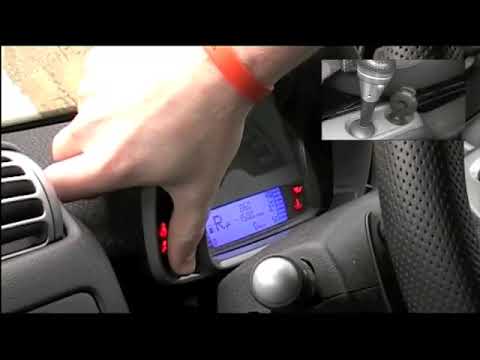
Smart
(2007-2015 /
451)
In order to successfully complete the manual reset of the service light on the instrument panel of your Smart 451, you must follow all the steps desc…
Smart
(2007-2015 /
451)
The procedure for resetting the Service light on the Smart 451 involves pressing and holding the button located on the left side of the instrument pa…

Smart
(2007-2015 /
451)
In this new guide aimed at all of you who own a Smart 451, we will describe the steps you need to take if you intend to manually reset the service li…
Other guides you may be interested in
|
How to Replace the Front Headlight Bulb in a Toyota Auris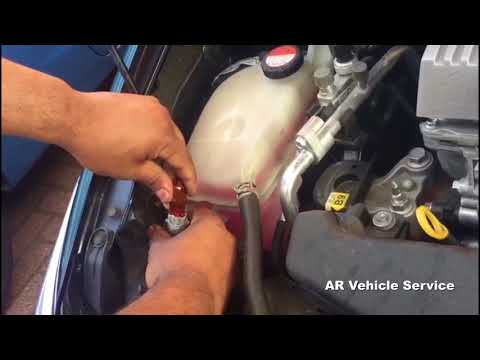
To perform this simple task, first disconnect the battery to protect any sensitive circuits. Then, to access the back of the headlight, lift the windscreen washer fluid funnel. Now, remove the covers at the back of the headlight to replace the necessary bulbs. Extract the bulb and disconnect the connector that powers it. Finally, reverse the steps for refitting. by ScegliAuto More videos
|

|
For advertising on this site Write to info@scegliauto.com
ScegliAuto is not responsible for any inaccuracy of the data in the lists. To report any inaccuracy or your business (if you own the business in question), please write to info@scegliauto.com
Number of seconds to generate the page: 0.191
(c) ScegliAuto 2026 - info@scegliauto.com - Privacy policy VAT number: IT01247470535 |
