
|
Do it yourself
| |||
| ||||


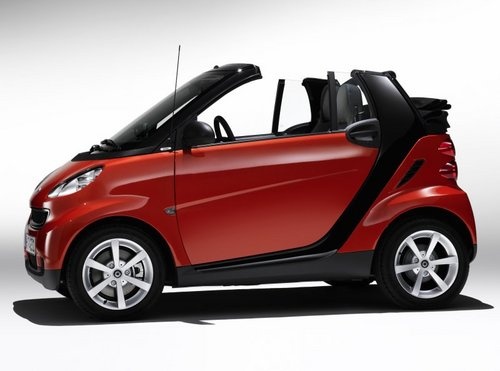
What do the three bars on the Smart Fortwo dashboard indicate?
Model: Smart Smart
451
- Years:
2007, 2008, 2009, 2010, 2011, 2012, 2013, 2014, 2015
Video tutorial
When we see the three horizontal bars on the dashboard of our Smart, they indicate a fault or malfunction of the automatic transmission; in fact, it is the warning light for a problem in the transmission system. Sometimes simply stopping, waiting a few minutes and then restarting is enough; the bars disappear. If the bars reappear after the restart, the reason may be a defect in the clutch actuator motor, which wears out over time. The problem could also be the clutch sensor, which does not correctly read the position; even a low level of transmission oil can generate this error. But also a faulty wiring, an oxidized connector or a malfunction of the control unit itself can generate this error. When the three bars appear, the car enters emergency mode, so the performance becomes limited, the gears no longer engage correctly, until they become impossible. It is necessary to take the car to a workshop and have the error codes read from the control unit.
Posted on 15 October 2025 by ScegliAuto
Related tutorials
Smart
(2007-2015 /
451)
In this guide, you will find the instructions to install the rev counter and clock on the dashboard of a Smart Fortwo. First, get inside the cabin an…

Smart
(2014-2022 /
453)
All the fuses in the Smart ForTwo EQ are contained within the single fuse box installed in the vehicle: this is located inside the cabin, on the inne…

Smart
(1998-2007 /
450)
If you still do not know where the OBD port of your Smart Fortwo 450 (1998-2007) is located, read this guide carefully and follow the step-by-step in…
Other guides you may be interested in
|
How to Set the Time in an Audi A4?
In this tutorial, you will see how to set the time in an Audi A4, a very simple and quick operation to perform after replacing the battery or when the time changes. First, insert the key and turn on the instrument cluster. Then, press the "SETUP" button located on the center console. Next, press the upper left arrow button, navigate to the "Time" option, and use the central knob to adjust the clock. Finally, set any necessary formats and save by returning to the main screen. by ScegliAuto More videos
|
|
For advertising on this site Write to info@scegliauto.com
ScegliAuto is not responsible for any inaccuracy of the data in the lists. To report any inaccuracy or your business (if you own the business in question), please write to info@scegliauto.com
Number of seconds to generate the page: 0.035
(c) ScegliAuto 2026 - info@scegliauto.com - Privacy policy VAT number: IT01247470535 |
