
|
Do it yourself
| |||
| ||||


How do you set the clock on the Smart device?
Model: Smart Smart
451
- Years 2007-2015
In order to adjust the Smart watch, you first need to turn on the instrument panel by turning the key in the ignition switch. Once the panel is on, you can use the buttons located behind the clock. By holding down the button on the left, you can move the clock hands backwards. Conversely, by pressing the button located on the back right of the instrument panel, you can move the hands forward. Once the desired time is set, you can release the buttons.
Posted on 22 January 2024 by ScegliAuto
Video tutorial
Related tutorials
Smart
(1998-2007 /
450)
In order to adjust the clock of the Smart, you need to turn on the instrument panel by inserting the ignition key into the corresponding ignition blo…

Smart
(2007-2015 /
451)
The clock shown on the Smart's display must first be turned on by turning on the instrument panel, inserting the key into the ignition switch: once t…

Smart
(2014-2022 /
453)
The adjustment of the clock shown on the Smart's instrument panel can be done by turning on the instrument panel, so that it is possible to navigate …
Other guides you may be interested in
|
How to Remove the Driver's Side Airbag (Steering Wheel) on a BMW 3 Series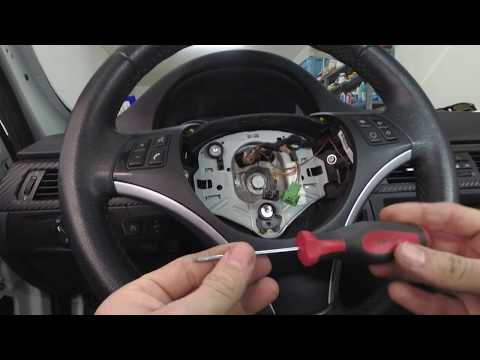
How to remove the driver's side airbag (steering wheel) on a BMW 3 Series? This operation is very simple if you follow the steps. Let's see in this guide how to proceed: insert a medium-length screwdriver into the rear slots on the steering wheel and turn until you release the clips that hold the airbag. Once the airbag is disconnected, disconnect the power connectors and remove it from the steering wheel. For reinstalling the airbag: connect the power connector, then press it onto the steering wheel until the locking clips snap into place inside the steering wheel. by ScegliAuto More videos
|

|
For advertising on this site Write to info@scegliauto.com
ScegliAuto is not responsible for any inaccuracy of the data in the lists. To report any inaccuracy or your business (if you own the business in question), please write to info@scegliauto.com
Number of seconds to generate the page: 0.121
(c) ScegliAuto 2026 - info@scegliauto.com - Privacy policy VAT number: IT01247470535 |
