
|
Do it yourself
| |||
| ||||


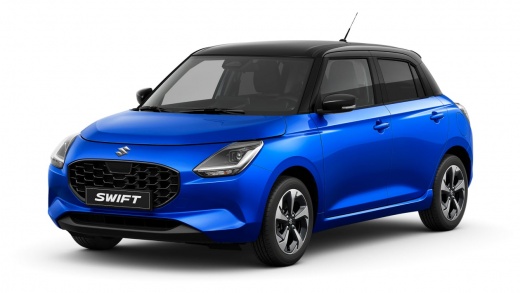
How to Check Tyre Pressures on the Suzuki Swift
Model: Suzuki Swift
- Years:
2024, 2025, 2026
Video tutorial
Today, we will discover the instructions that allow us to check the tyre pressures on the Suzuki Swift. First, get into the vehicle and turn on the ignition; from the central display, navigate to the settings menu, then select the tyre pressure monitor option to access the control menu, as shown in the video. If the pressures are different or out of specification, enter the correct nominal values; then wait for the TPMS to detect the new pressures, resetting any warning light.
Posted on 1 November 2026 by ScegliAuto
Related tutorials
Suzuki Swift
(2010-2017 /
AZG, MK 5, Rs41)
The video shows how to reset the tyre pressure of a Suzuki Swift. It is a straightforward but important operation that takes only a few minutes. Afte…
Suzuki Swift
(2010-2017 /
AZG, MK 5, Rs41)
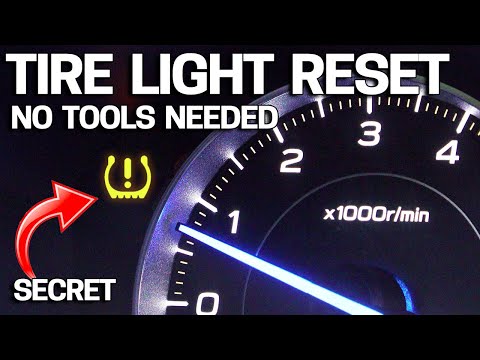
If the tyre warning light comes on the instrument panel of your Suzuki Swift, you can watch the posted video, which details, also with verbal descrip…

Suzuki Swift
(2010-2017 /
AZG, MK 5, Rs41)
When the TPMS light activates on a Suzuki vehicle, it means you need to check the tyre pressure. The correct tyre pressure varies depending on the mo…
Other guides you may be interested in |
Frequently Asked QuestionsHow to Reset the TPMS Light on the 2014 Toyota Yaris
Resetting the TPMS light, which relates to tyre pressure, is a simple and quick task that can be done independently on the 2014 Toyota Yaris. To reset the light, turn on the ignition and press the RESET button located under the dashboard on the driver's side. While holding the button down, you can access the reset function and wait a few seconds before releasing the button. Once the ignition is restarted, the light will turn off. If the light does not reset, you may need to perform the reset using a scanner and OBD port at a garage. by ScegliAuto More videos
|
|
For advertising on this site Write to info@scegliauto.com
ScegliAuto is not responsible for any inaccuracy of the data in the lists. To report any inaccuracy or your business (if you own the business in question), please write to info@scegliauto.com
Number of seconds to generate the page: 0.010
(c) ScegliAuto 2026 - info@scegliauto.com - Privacy policy VAT number: IT01247470535 |
