
|
Do it yourself
| |||
| ||||


Suzuki Swift - Video tutorial
Model: Suzuki Swift
MK 6, A2L
- Years 2017-2024 In order to reset the Suzuki Swift tire pressure warning light, you must first check that all four tires are at the correct inflation pressure. Next, you have to go inside the passenger compartment and turn on the instrument panel, checking that the warning light comes on. To reset it, press and hold the button at the bottom right of the speedometer, until a message appears on the display. By turning the button, it will be necessary to scroll through the menu to the "TPMS" item, selecting it with the button and then selecting the "Unladn" item. At this point, turning off the ignition and having traveled a few meters, the warning light will switch off autonomously.
Posted on 23 February 2024 by ScegliAuto
Other guides that may interest you |
Frequently Asked QuestionsHow to set the time on the Peugeot 308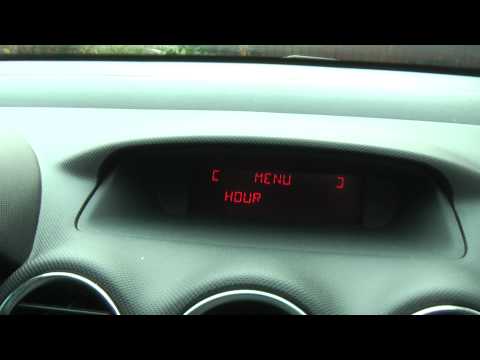
If we need to change the time on this car we can follow the instructions given in this video tutorial and read the instructions below. First of all, access the driver's seat and turn on the ignition. On the right multifunction lever there are the controls with the arrows to scroll the various menu functions and scroll the various functions up to "display adjust", after which press the button behind the lever to change the time, once set the new value press again the key with the arrow indication and modify the minutes in this way the work will be completed. by ScegliAuto More videos
|
For advertising on this site Write to info@scegliauto.com
ScegliAuto is not responsible for any inaccuracy of the data in the lists. To report any inaccuracy or your business (if you own the business in question), please write to info@scegliauto.com
Number of seconds to generate the page: 0.009
(c) ScegliAuto 2024 - info@scegliauto.com - Privacy Policy VAT number: IT01247470535 |