
|
Do it yourself
| |||
| ||||


|
Model: Sym Symphony 151
In this video tutorial, learn how to remove and replace the rear brake pads on a Sym Symphony 150 scooter. First, position the scooter on the centre stand and use a socket spanner to undo the fixing screws of the brake caliper; then remove the caliper and extract the pads located inside by taking off the top cover and removing the retaining clip with pliers. At this point, replace them with new ones and reassemble them in the correct orientation; subsequently, instructions are provided on how to change the engine oil of your scooter!
Updated on 24 April 2026 by ScegliAuto
Video tutorial
Related tutorials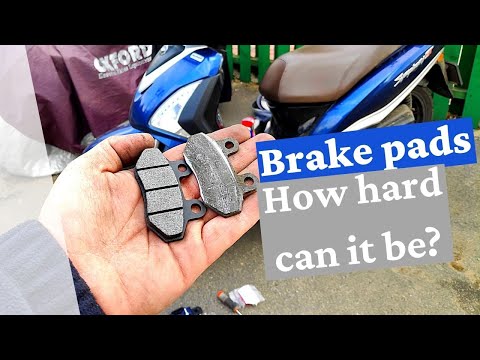
Symphony 151
In this video, learn how to remove and replace the front brake pads on a Sym Symphony ST 150 scooter, as well as the 125 and 200 models. First, posit…

Symphony 151
In this video, we will see how to remove and replace the engine air filter on a Sym Symphony S 150 scooter in simple and quick steps. First, place th…
Symphony 151
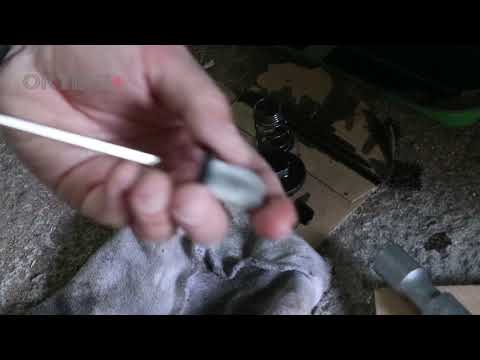
In this short video, see how to carry out routine maintenance by replacing the engine oil and cleaning the small oil filter on a Sym Symphony SR 150 …
|
How to Reset the Oil Light on the Honda Forza 300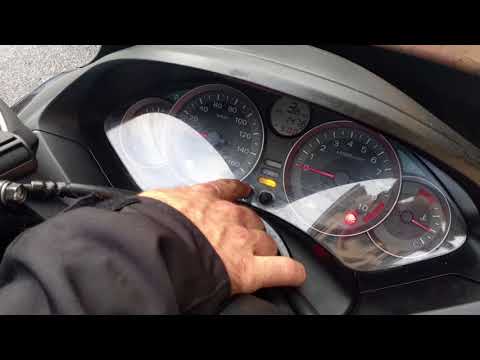
To reset the oil light on the Honda Forza 300, follow this procedure: first, turn off the engine. Once the engine is off, press and hold the right button in the centre of the dashboard. While holding the button, turn the key to position 2 to power on the dashboard and hold for 3 seconds. At this point, the oil light reset has been successful. You can then turn off and restart the engine to confirm. No tools are needed, and the process will take 1 minute. by ScegliAuto More videos
|
|
For advertising on this site Write to info@scegliauto.com
ScegliAuto is not responsible for any inaccuracy of the data in the lists. To report any inaccuracy or your business (if you own the business in question), please write to info@scegliauto.com
Number of seconds to generate the page: 0.299
(c) ScegliAuto 2026 - info@scegliauto.com - Privacy policy VAT number: IT01247470535 |
