
|
Do it yourself
| |||
| ||||


How do you reset the Tata Tiago's Service indicator?
Model: Tata Tiago
MK 1
- Years 2016-2024
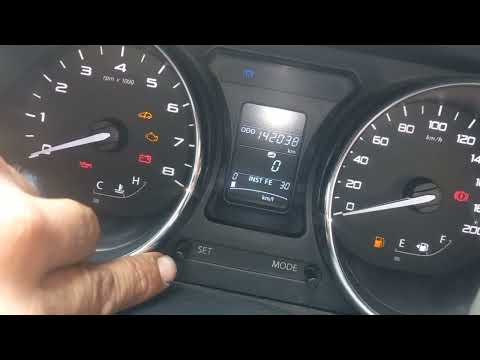
To reset the Service light on the Tata Tiago, you need to turn on the instrument panel by turning the key in the ignition. Once the panel is on, you can repeatedly press the MODE button located in the center of the instrument panel. This will allow you to scroll through the menu until you find the option that indicates the maintenance interval. At this point, you will need to hold down the SET button until it is reset. After the reset, you can turn off the instrument panel by turning the key.
Posted on 6 June 2023 by ScegliAuto
Video tutorial
Related tutorials
Tata Tiago
(2016-2024 /
MK 1)
To manually reset the service light on the instrument panel of your Tata Tiago, simply follow these steps. First, make sure the instrument panel is t…

Tata Tiago
(2016-2024 /
MK 1)
The procedure to reset the Service light on the Tata Tiago involves turning on the instrument panel and navigating through the menu that appears by r…
Tata Tiago
(2016-2024 /
MK 1)
If the service light on your Tata Tiago's instrument panel continues to appear despite having already performed the regular maintenance, do not worry…
Other guides you may be interested in
|
How to Remove the Interior Handle on a Volkswagen Golf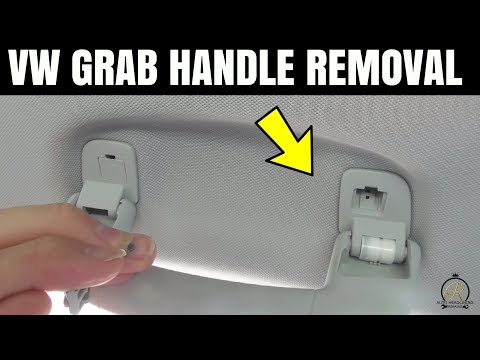
In this video, see how to remove and replace the interior handle of a Volkswagen Golf. This operation is straightforward if you follow the correct steps. First, use a screwdriver to unclip the metal clips of the levers, then take the handle and pull it out from the support. Once the first support is removed, proceed to remove the other support in the same manner. Complete the disassembly of the part: install the new handle with all the supporting brackets as removed previously. Finally, test the correct operation of the handle. by ScegliAuto More videos
|
|
For advertising on this site Write to info@scegliauto.com
ScegliAuto is not responsible for any inaccuracy of the data in the lists. To report any inaccuracy or your business (if you own the business in question), please write to info@scegliauto.com
Number of seconds to generate the page: 0.095
(c) ScegliAuto 2026 - info@scegliauto.com - Privacy policy VAT number: IT01247470535 |
