
|
Do it yourself
| |||
| ||||


How to reset and calibrate the tire pressure of the Tesla Model 3
Model: Tesla Model 3
MK 1
- Years 2017-2024
In this brief guide, we will see the instructions that will allow us to reset and calibrate the tire pressure sensors of the Tesla Model 3; before resetting the TPMS warning light, it is necessary that all four tires are at the operating pressure. So let's get in the car and start turning on the instrument panel; from the central display, we will go to the vehicle settings and then to the tire pressure monitor, then pressing on the tire configuration option to confirm and perform the recalibration of the TPMS sensors.
Posted on 11 January 2026 by ScegliAuto
Video tutorial
Related tutorials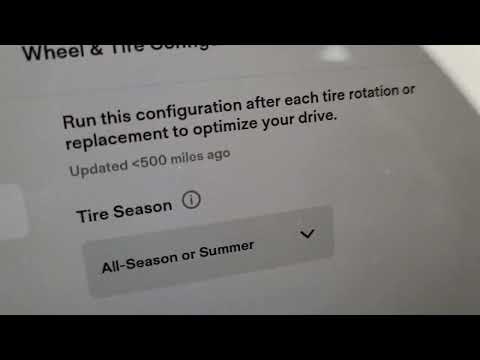
Tesla Model 3
(2017-2024 /
MK 1)
The following video tutorial shows us how to independently reset the TPMS light on a 2020 Tesla Model 3 vehicle. To update the tire pressure, we need…

Tesla Model 3
(2017-2024 /
MK 1)
It is possible to reset the tire pressure of the Tesla Model 3 by following the instructions in this video. In the bottom left corner, we can see an …

Tesla Model 3
(2017-2024 /
MK 1)
To reset the tire pressure warning light on a Tesla Model 3, turn on the vehicle and access the main touchscreen without starting driving. Navigate t…
Other guides you may be interested in
|
Removing VW Passat Interior Lights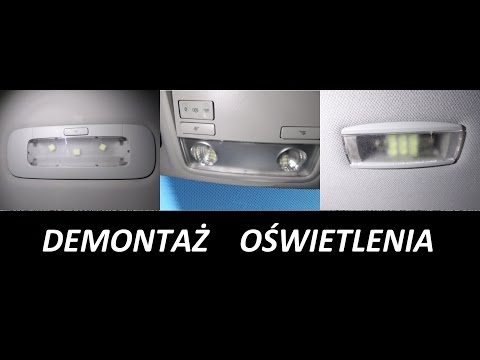
Below is how to replace the bulbs in all the interior lights of this vehicle. For the lights on the roof, use a flathead screwdriver to gently lever at the side where you will release the retaining clip, pull it out, and after replacing the bulb, press it back into place. For the light above the front seats, lever (with the flathead screwdriver) directly on the transparent plastic to detach it from the retaining tabs (replace the bulbs and press it back into place). For the rear light and number plate lights, perform the same operation: lever to release the tab, replace, and press back into place. by ScegliAuto More videos
|
|
For advertising on this site Write to info@scegliauto.com
ScegliAuto is not responsible for any inaccuracy of the data in the lists. To report any inaccuracy or your business (if you own the business in question), please write to info@scegliauto.com
Number of seconds to generate the page: 0.047
(c) ScegliAuto 2026 - info@scegliauto.com - Privacy policy VAT number: IT01247470535 |
