
|
Do it yourself
| |||
| ||||


How to Reset the "Service" Light on a Toyota Camry?
Model: Toyota Camry
Xv50
- Years:
2011, 2012, 2013, 2014, 2015, 2016, 2017, 2018, 2019
Video tutorial
To reset the "Service" light on a Toyota Camry, start by turning on the ignition without starting the vehicle. Look for the button located under the instrument cluster and hold it down to enter the maintenance menu on the central display. Inside the menu, you will find the option to reset the service reminder. Press the button to select this function and follow the on-screen instructions to confirm the operation. The reset will take a few seconds, and when finished, the "Service" light should turn off. To check if the reset was successful, turn off and then turn on the ignition: if the light does not reappear, it means the maintenance system has been updated correctly.
Updated on 4 November 2026 by ScegliAuto
Related tutorials
Toyota Camry
(2018-2024 /
Xv70)
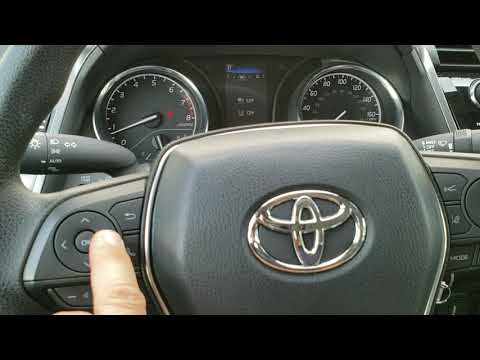
Today, you will learn how to reset the service light on a 2023 Toyota Camry. To reset the light, press the Menu button on the steering wheel to acces…
Toyota Camry
(2018-2024 /
Xv70)
In this guide, you will learn how to reset the oil change service light on the Toyota Camry. First, get inside the vehicle and start the engine. Then…

Toyota Camry
(2018-2024 /
Xv70)
To reset the "Service" light on a Toyota Camry, start by turning on the ignition without starting the engine. Use the buttons on the steering wheel t…
Other guides you may be interested in
|
How to Reset the Tyre Pressure Light on a Cupra Formentor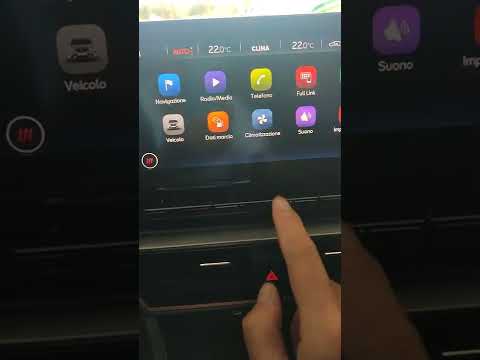
In this brief and simple video tutorial, learn how to reset the tyre pressure on a Cupra Formentor. Start by pressing the ignition button to turn on the instrument cluster. Now, use the touchscreen display on the central console to open the car menu. From here, select the driving data option, then the tyre pressure option. Now, click on the "SET" button with the pressure warning symbol and confirm the correct tyre pressure required by the manufacturer to perform the reset. by ScegliAuto More videos
|
|
For advertising on this site Write to info@scegliauto.com
ScegliAuto is not responsible for any inaccuracy of the data in the lists. To report any inaccuracy or your business (if you own the business in question), please write to info@scegliauto.com
Number of seconds to generate the page: 0.022
(c) ScegliAuto 2026 - info@scegliauto.com - Privacy policy VAT number: IT01247470535 |
