
|
Do it yourself
| |||
| ||||


How to set up the onboard computer of the 2017 Toyota Rav 4
Model: Toyota Rav 4
MK 4, Xa40
- Years 2013-2018
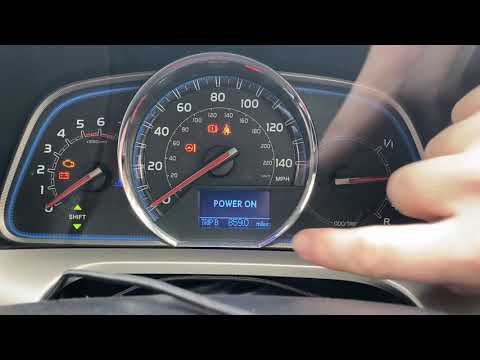
Today we will explain how to set some functions on the on-board computer of the 2017 Toyota Rav 4. To set the clock, we need to turn on the instrument panel and the on-board computer, select the "general" option and then the "date and time" option, from here we can set the time we want to display on the on-board computer and on the instrument panel. Let's go back to the main menu and continue to adjust the other functions. As we know, to turn on the air conditioning in the car, just press the AC button to set the temperature by moving the knobs, but on the Rav 4 vehicle we can also automatically set the temperature we want to achieve when we turn on the air conditioning. From the on-board computer, select the "vehicle" option, then select the "air conditioning" option; from here we set the automatic function and the desired temperature. Let's go back to the main menu and set the vehicle closing speed via the remote control, go to the "vehicle" option and then to "vehicle lock". From here we can set the closing speed, opening speed, how many clicks to close and open the vehicle with the remote control, and set whether the closing should be done only on the front doors or on the rear doors.
Posted on 27 November 2024 by ScegliAuto
Video tutorial
Related tutorials
Toyota Rav 4
(2013-2018 /
MK 4, Xa40)
To set the time on the 2016 Toyota RAV 4, we need to: - turn on the vehicle's instrument panel without starting the car; - turn on the onboard comput…
Toyota Rav 4
(2013-2018 /
MK 4, Xa40)
First, turn on the ignition without starting the engine. Once the ignition is on, press the button located on the right side of the dashboard to set …

Toyota Rav 4
(2013-2018 /
MK 4, Xa40)
In this tutorial, we can see how to reset the onboard computer in the Toyota RAV4, an extremely simple and quick operation, to be carried out for exa…
Other guides you may be interested in
|
How to Set the Clock on the Opel Zafira
Setting the clock to the current Italian time on an Opel Zafira model B is a very simple operation, also made easier by our short instructional video. The first step is to turn on the instrument panel and then press the SETTING button located on the central dashboard. Once inside the menu, use the buttons to navigate to the clock setting. Adjust the hours and minutes and restart the instrument panel. If the clock does not update, it may be necessary to diagnose the radio or the vehicle's control unit. by ScegliAuto More videos
|

|
For advertising on this site Write to info@scegliauto.com
ScegliAuto is not responsible for any inaccuracy of the data in the lists. To report any inaccuracy or your business (if you own the business in question), please write to info@scegliauto.com
Number of seconds to generate the page: 0.106
(c) ScegliAuto 2026 - info@scegliauto.com - Privacy policy VAT number: IT01247470535 |
