
|
Do it yourself
| |||
| ||||


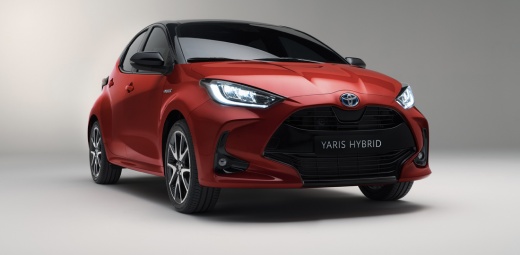
How to use and what are the functions of the Infotainment system in a Toyota Yaris 2025?
Model: Toyota Yaris
MK 4
- Years 2020-2026
The Infotainment system of the Toyota Yaris 2025 is a gem, designed to simplify and enhance the driving experience. With a touchscreen display, it allows easy access to functions such as navigation, music, and calls. You can connect your smartphone via Apple CarPlay or Android Auto to sync apps and respond to messages or calls safely. Furthermore, you can control the voice system to change tracks or receive directions without getting distracted. The system also includes Bluetooth, digital radio, and Wi-Fi connection, offering a complete, always connected, and intuitive entertainment experience. If you do not fully understand all the functions, watch this tutorial video or ask the dealer who sold you the car!
Posted on 7 April 2025 by ScegliAuto
Video tutorial
Related tutorials
Toyota Yaris
(2020-2026 /
MK 4)
In this video, you will see the functions of the road sign recognition system on a Toyota Yaris: the vehicle automatically recognises the road signs …

Toyota Yaris
(2020-2026 /
MK 4)
In today's video, you will see how to reset the service light on a Toyota Yaris, American model. This vehicle is a rebadge of the European Mazda 2, w…

Toyota Yaris
(2020-2026 /
MK 4)
In this tutorial, you will see how to deactivate the lane keeping assist system on the Toyota Yaris Hybrid, a very simple and quick operation to perf…
Other guides you may be interested in
|
How to Open the Fuel Filler Flap on a Hyundai i20?
In this tutorial, you will see how to open the fuel filler flap on a Hyundai i20, a very simple operation similar to that of many vehicles. First, go inside the cabin; it is not necessary to insert the key or unlock all the locks, then locate and operate the lever situated in the lower left area of the cabin, right next to the driver's seat. Once done, exit the vehicle, fully open the flap, and unscrew the fuel cap. To close the flap, simply press it gently until you hear a click. by ScegliAuto More videos
|
|
For advertising on this site Write to info@scegliauto.com
ScegliAuto is not responsible for any inaccuracy of the data in the lists. To report any inaccuracy or your business (if you own the business in question), please write to info@scegliauto.com
Number of seconds to generate the page: 0.123
(c) ScegliAuto 2026 - info@scegliauto.com - Privacy policy VAT number: IT01247470535 |
