
|
Do it yourself
| |||
| ||||


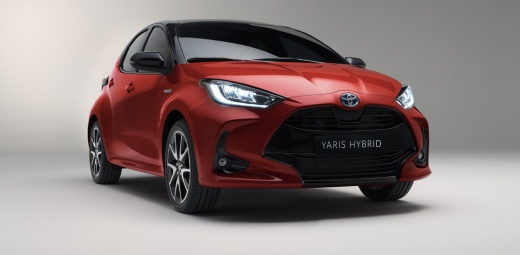
Road Sign Recognition System on the Toyota Yaris
Model: Toyota Yaris
MK 4
- Years:
2020, 2021, 2022, 2023, 2024, 2025, 2026
Video tutorial
In this video, you will see the functions of the road sign recognition system on a Toyota Yaris: the vehicle automatically recognises the road signs it encounters, using the camera mounted at the front; such as speed limits, and displays them on the instrument panel that the driver continuously monitors, making them as visible as possible for the duration that these restrictions are valid. This way, in addition to safety, you will also keep an eye on your wallet, as you can avoid fines associated with non-compliance with these restrictions.
Updated on 30 July 2026 by ScegliAuto
Related tutorials
Toyota Yaris
(2020-2026 /
MK 4)
In this video, we can see how to activate the safety systems installed on the Toyota Yaris: the pre-collision system (PCS) is normally active, and us…

Toyota Yaris
(2011-2019 /
Xp130)
The first fuse box of a Toyota Yaris Hybrid can be found inside the vehicle's cabin, located low on the left under the steering column; this box cont…

Toyota Yaris
(2020-2026 /
MK 4)
In this tutorial, you will see how to deactivate the lane keeping assist system on the Toyota Yaris Hybrid, a very simple and quick operation to perf…
Other guides you may be interested in |
How to Reset the Tire Pressure Light on a MG ZS?
On the instrument cluster of the MG ZS, the tire pressure light that appears can be reset by inflating the tires to the correct pressure: this value will be indicated on the sticker attached to the driver's door pillar. Once the tires have been properly inflated, you can turn on the instrument cluster and navigate through the menu until you find the option that indicates tire pressure: if this screen shows the new values, the light will turn off; otherwise, you will need to drive for a few miles so that the sensors can read the new values and turn off the light afterward. by ScegliAuto More videos
|
|
For advertising on this site Write to info@scegliauto.com
ScegliAuto is not responsible for any inaccuracy of the data in the lists. To report any inaccuracy or your business (if you own the business in question), please write to info@scegliauto.com
Number of seconds to generate the page: 0.009
(c) ScegliAuto 2026 - info@scegliauto.com - Privacy policy VAT number: IT01247470535 |
