
|
Do it yourself
| |||
| ||||


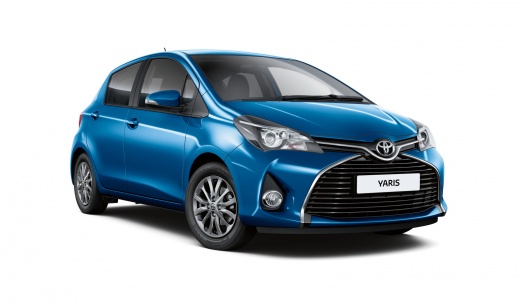
How to Reset the Service Light in the Toyota Yaris?
Model: Toyota Yaris
- Years:
2011, 2012, 2013, 2014, 2015, 2016, 2017, 2018, 2019
Video tutorial
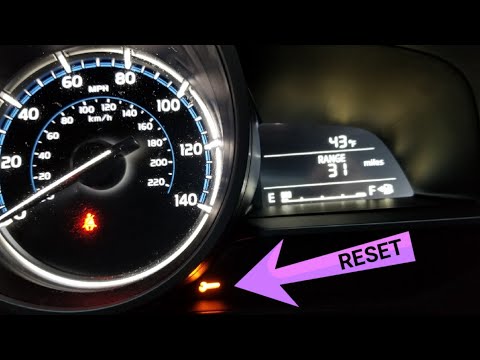
This tutorial shows how to reset the service light in the Toyota Yaris, a very simple and quick operation to perform only after completing all scheduled maintenance tasks. First, enter the cabin, then insert the key and turn on the instrument cluster. Next, navigate to the general menu on the main display, enter "Applications", "Maintenance", "Scheduled", and perform the reset by selecting the relevant option. Finally, complete the procedure by restarting the instrument cluster.
Posted on 28 October 2026 by ScegliAuto
Related tutorials
Toyota Yaris
(2005-2011 /
Xp90)
In this tutorial, we can see how to reset the service in the Toyota Yaris, an extremely simple and quick operation to be carried out only after compl…

Toyota Yaris
(2005-2011 /
Xp90)
In this tutorial, you will see how to reset the service light on the Toyota Yaris, a very simple and quick operation to perform only after completing…
Toyota Yaris
(2011-2019 /
Xp130)
Resetting the oil service light on a Toyota Yaris, as shown in this tutorial, is an extremely simple and quick operation. First, enter the cabin, the…
Other guides you may be interested in
|
How to Remove the Rear Hatch Cover of the Mercedes B-Class
In this video, you will learn how to remove the rear hatch cover of the Mercedes B-Class. You will need a small flathead screwdriver to remove the handle cover. Use long-nosed pliers to gently remove the clips inside. The next step is to carefully insert a plastic spatula into the gap created to start removing the cover; it is advisable to start from the sides and work towards the centre. Disconnect the courtesy light connector, and continue gently removing the plastics by leveraging the gaps created, always starting from the sides. Be cautious of clips and wiring, and handle everything with care. by ScegliAuto More videos
|
|
For advertising on this site Write to info@scegliauto.com
ScegliAuto is not responsible for any inaccuracy of the data in the lists. To report any inaccuracy or your business (if you own the business in question), please write to info@scegliauto.com
Number of seconds to generate the page: 0.361
(c) ScegliAuto 2026 - info@scegliauto.com - Privacy policy VAT number: IT01247470535 |
