
|
Do it yourself
| |||
| ||||


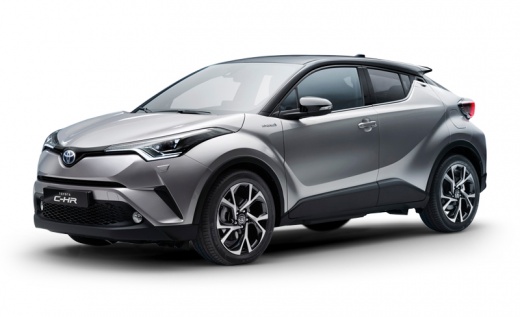
How to Change the Time on the Toyota C-HR
Model: Toyota C Hr
Ax10, MK 1, Ax50
- Years:
2016, 2017, 2018, 2019, 2020, 2021, 2022, 2023
Video tutorial
To update the time on the vehicle, turn the key and switch on the ignition (the engine does not need to be running), on the right side of the touchscreen is the clock. Usually, the option to change the time on cars is found in the "menu" or "settings" functions, and within the various submenus, you can select the time. In this car, however, the time is changed by pressing the buttons located just below the clock. Press the left button to change the hour, and press the right button to change the minutes. Finally, the available time format is only "12h".
Updated on 23 June 2026 by ScegliAuto
Related tutorials
Toyota C Hr
(2016-2023 /
Ax10, MK 1, Ax50)
This guide outlines the few simple steps you need to follow to manually change the time displayed on your first-generation Toyota C HR. First, get in…

Toyota C Hr
(2023-2026 /
MK 2)
If you want to manually change the time displayed on the instrument panel and infotainment system display of your Toyota C HR (year 2023), all you ha…

Toyota C Hr
(2016-2023 /
Ax10, MK 1, Ax50)
The need to change the time from standard to daylight saving and vice versa is one of the main reasons, but this also applies to disconnecting the ba…
Other guides you may be interested in
|
How to Activate Cruise Control on the Peugeot 3008
Today's steps will show you how to activate cruise control on the Peugeot 3008, following the instructions below. First, get into the vehicle and start the engine. To activate cruise control, you must reach a minimum speed. Then, activate cruise control using the central button on the left stalk, adjusting the speed with the buttons; use the dial to set the speed limit. Pressing the brake pedal will automatically disable the cruise control system. by ScegliAuto More videos
|
|
For advertising on this site Write to info@scegliauto.com
ScegliAuto is not responsible for any inaccuracy of the data in the lists. To report any inaccuracy or your business (if you own the business in question), please write to info@scegliauto.com
Number of seconds to generate the page: 0.130
(c) ScegliAuto 2026 - info@scegliauto.com - Privacy policy VAT number: IT01247470535 |
