
|
Do it yourself
| |||
| ||||


How to solve the low volume problem on Android Auto
Model: (Various brands) Various
Video tutorial
Let's see how to solve a problem that often occurs on Android Auto. It is a security setting of Android to protect hearing, if it is active and set low, it limits the maximum volume in every scenario. Let's open the settings on the Android phone, go to "sounds and vibrations", touch "volume" and look for the option "media volume limit" and set the slider to the maximum. Restart the phone and try the audio with the car. Often the volume of Android Auto is adjusted separately from the main volume of the car radio. When playing music, use the car's volume; when Google Maps is giving navigation directions, adjust the car's volume while it is speaking. During a call, adjust the volume while the other person is speaking.
Posted on 12 September 2025 by ScegliAuto
Related tutorials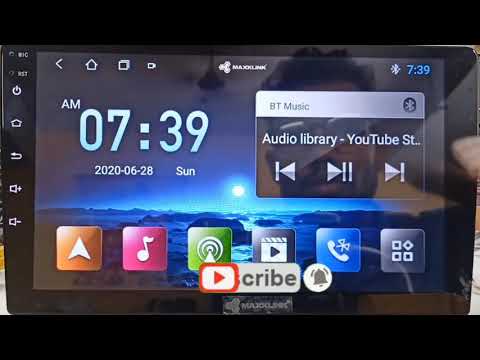
(Various brands) Various
If you have installed an Android T3L car radio in your vehicle and are experiencing serious software issues, do not worry. With the following method,…

(Various brands) Various
Let's see how to remedy the fact that our new Android 2DIN radio, installed on our slightly old car, tends to drain the battery after two or three da…

(Various brands) Various
This video shows how to solve the locking problem of the Aixam quadricycle, when the doors automatically lock with the ignition on "ON" and unlock ag…
Other guides you may be interested in |
How to Open the Fuel Flap on a Volkswagen Tiguan?
To open the fuel flap on a Volkswagen Tiguan, first unlock the car using the appropriate button on the remote. This will open the car and unlock the mechanism that controls the fuel flap. At this point, apply light pressure to the left side of the flap to open it and access the cap underneath. Once this is unscrewed, you can refuel and then close everything. by ScegliAuto More videos
|
|
For advertising on this site Write to info@scegliauto.com
ScegliAuto is not responsible for any inaccuracy of the data in the lists. To report any inaccuracy or your business (if you own the business in question), please write to info@scegliauto.com
Number of seconds to generate the page: 0.010
(c) ScegliAuto 2026 - info@scegliauto.com - Privacy policy VAT number: IT01247470535 |
