
|
Do it yourself
| |||
| ||||


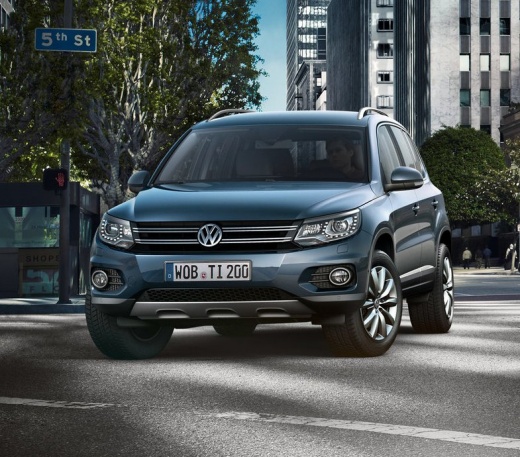
How to deactivate the anti-theft system on the Volkswagen Tiguan
Model: Volkswagen Tiguan
5N, MK 1
- Years:
2007, 2008, 2009, 2010, 2011, 2012, 2013, 2014, 2015, 2016
Video tutorial
The steps outlined in this guide will show us how to activate and deactivate the alarm system through the dedicated button on the Volkswagen Tiguan. First, we get into the car on the driver's side and start the instrument panel; then we press the button located on the side pillar (driver's side), next to the seatbelt, as shown in the video. This way we will temporarily deactivate the anti-theft system, pressing the button again to reactivate it; this button is an optional feature and may not be present on all vehicles.
Posted on 3 September 2025 by ScegliAuto
Related tutorials
Volkswagen Tiguan
(2007-2016 /
5N, MK 1)
The following steps will show you how to activate and deactivate the alarm system on a Volkswagen Tiguan. First, open the driver's side front door an…

Volkswagen Tiguan
(2024-2026 /
MK 3)
In this guide, you will discover the instructions to activate and deactivate the alarm system on a Volkswagen Tiguan in simple steps. First, ensure t…

Volkswagen Tiguan
(2016-2025 /
BW, MK 2, AD)
Today we will explain how to deactivate the START&STOP system of the 2025 Volkswagen Tiguan. To perform this simple operation, we need to turn on the…
Other guides you may be interested in
|
How to Reset the Tyre Pressure Warning Light on the Opel Mokka?
To reset the tyre pressure warning light on the Opel Mokka, turn on the ignition by inserting the key into the ignition switch. Once the ignition is on, navigate through the menu that appears on the dashboard by pressing the MENU button on the lever to the left of the steering wheel. When the tyre pressure option appears, press and hold the SET/CLR button located on the same lever. This will reset the warning light, and you can then turn off the ignition. by ScegliAuto More videos
|
|
For advertising on this site Write to info@scegliauto.com
ScegliAuto is not responsible for any inaccuracy of the data in the lists. To report any inaccuracy or your business (if you own the business in question), please write to info@scegliauto.com
Number of seconds to generate the page: 0.055
(c) ScegliAuto 2026 - info@scegliauto.com - Privacy policy VAT number: IT01247470535 |
